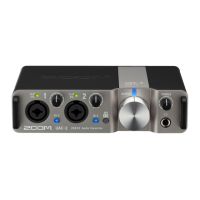
Adjusting the input gain
The input sensitivity of Inputs 1–2 can be adjusted.
1. Use to adjust the input signals while inputting sound from instruments and mics.
Level indicators
: Input signal present (−48 dBFS or higher).
: Input signal is clipping (−1 dBFS or higher).
NOTE:
• Set these so that their level indicators do not light red.
• To minimize noise, set the gain for any input jack not being used to 0.
• When the Stereo Link switch is on, the input gain for both Inputs 1 and 2 is controlled by Gain knob 1. (→
Stereo link overview)
18



 To Next Page
 Loading...