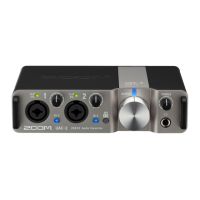
Connecting mics
1. Use mic cables to connect dynamic and condenser mics to the Input 1 and 2 jacks.
2. When connecting a mic to the Input 1 jack, set to MIC/LINE.
3. Use to set phantom power.
Phantom power is supplied to the XLR connectors of both Inputs 1 and 2 simultaneously.
Switch position Explanation
Use this to supply phantom power to condenser mics.
Use this when connecting dynamic mics.
16



 To Next Page
 Loading...