14
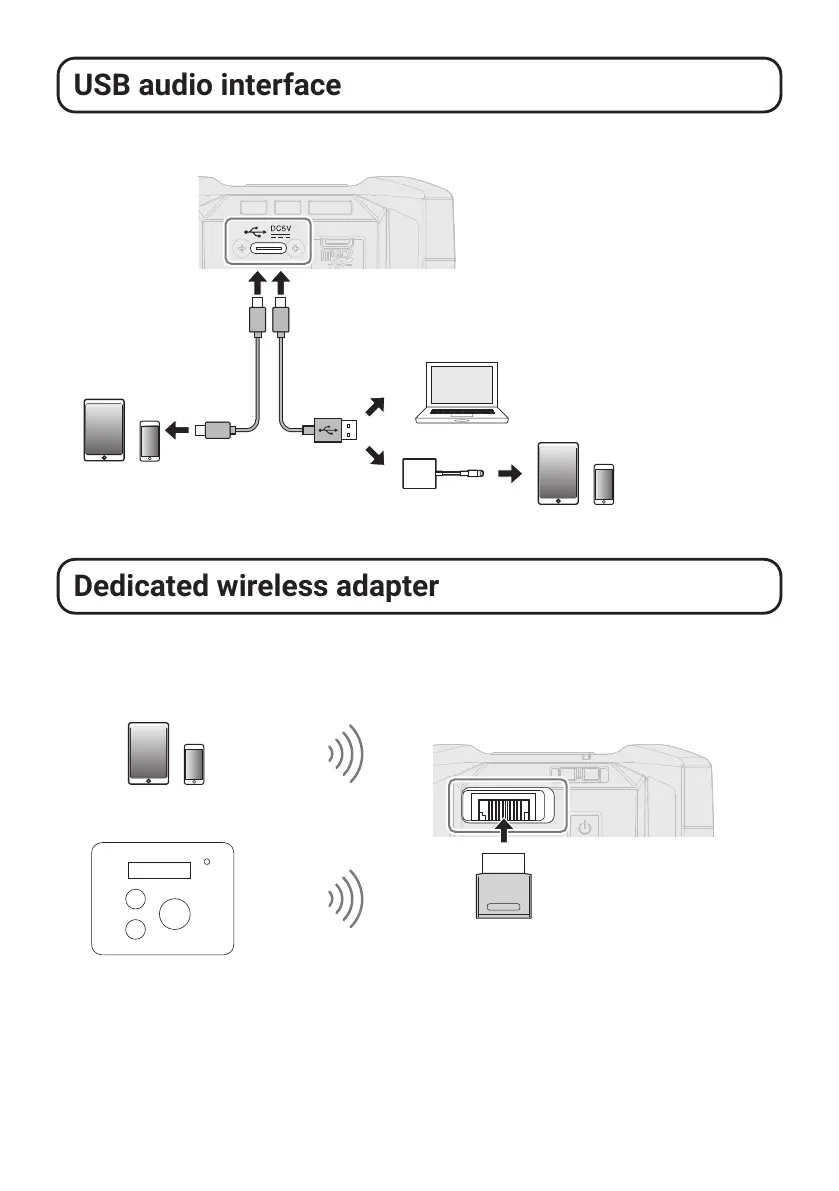
USB audio interface
The F3 can be used as an audio interface for computers, smartphones and tablets.
Computer
(Windows/Mac)
USB port (Type-C)
Use a USB cable that supports
data transfer.
Smartphone/tablet
(Android)
Smartphone/tablet
(iOS/iPadOS)
Lightning to USB 3
Camera Adapter
Dedicated wireless adapter
Using a ZOOM BTA-1 or other dedicated wireless adapter enables the F3 Control smart-
phone/tablet app to operate the F3 wirelessly. It also allows the F3 to receive timecode from
supported timecode devices.
Supported timecode device
Timecode
Dedicated wireless adapter
(ZOOM BTA-1, etc.)
Smartphone/tablet
(Android/iOS/iPadOS)



 To Next Page