1
7YLZZ[VLU[LYYLJVYKPUN
Z[HUKI`
2
:LSLJ[PUW\[ZV\YJLHUK
WYLZZ
Press MIC to use the built-in mics, or
press INPUT 1 or 2 to use external
inputs.
3
(KQ\Z[[OLYLJVYKPUNSL]LSVM
[OLPUW\[ZV\YJL
4
7YLZZ[VZ[HY[YLJVYKPUN
5
7YLZZ[VLUKYLJVYKPUN
047
6WLYH[PVUZ:L[[PUNZYLJVYKPUN!9LJVYKPUNPU:;,9,6HUK:;(405(TVKLZ
:L[[PUNZYLJVYKPUN!9LJVYKPUNPU:;,9,6HUK:;(405(TVKLZ
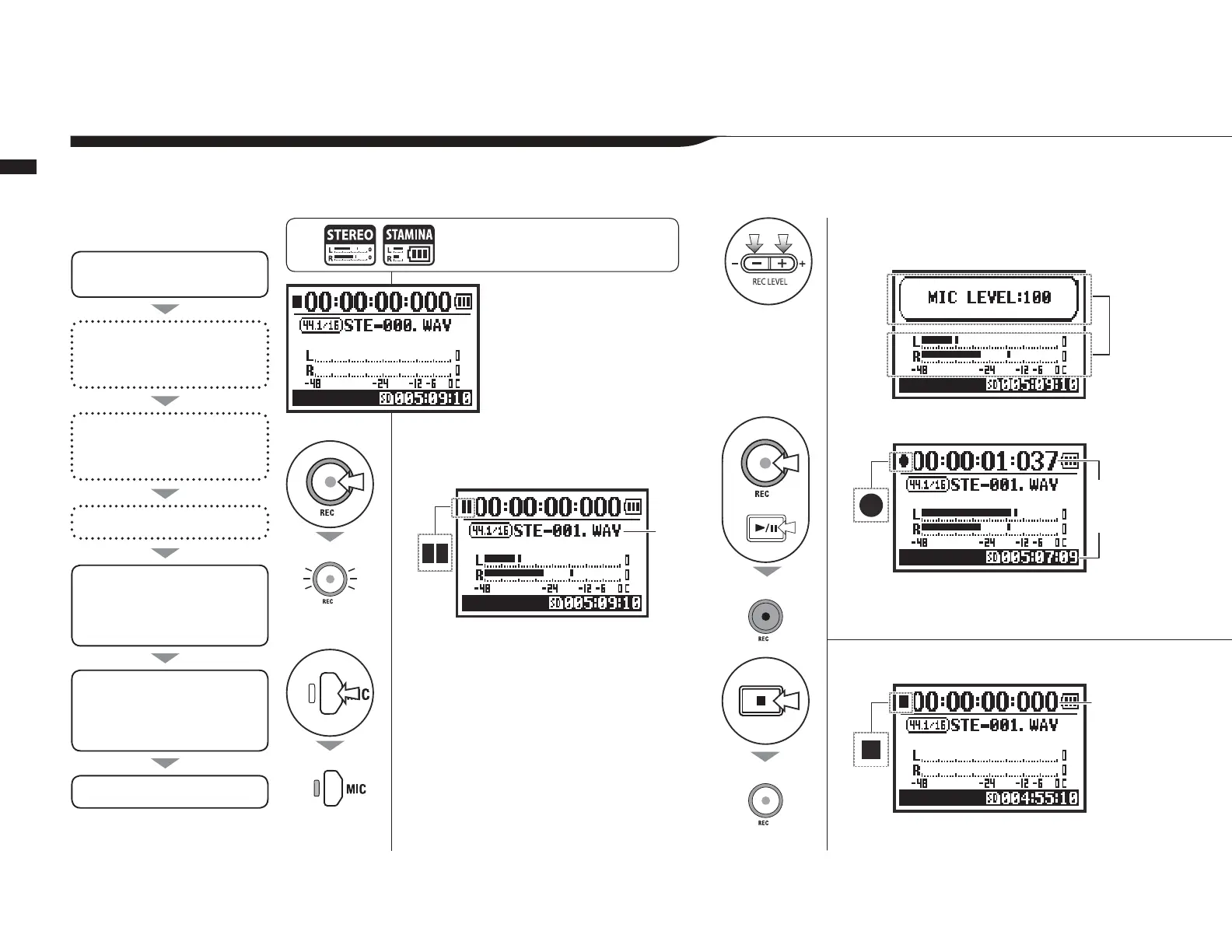
These are the steps to record in STEREO or STAMINA mode.
*VUÄYT[OLTVKL
PZ:;,9,6
,U[LYYLJVYKPUNZ[HUKI`
:LSLJ[PUW\[ZV\YJL
(KQ\Z[YLJVYKPUNSL]LSVM
source
Record
:[HY[YLJVYKPUN
7H\ZLYLZ\TLYLJVYKPUN
HKKTHYRZ
*OHUNLYLJVYKPUNZL[[PUNZ
9,*-694(;
-03,5(4,;@7,
<ZLYLJVYKPUNM\UJ[PVUZ
(<;69,*:;6779,9,*
9,*3,=,3(<;6
<ZL4,;96564,
,UKYLJVYKPUN
*You can record without making
these settings.
Recording process
7YLZZ[OL4,5<I\[[VUMVYTVYL
[OHUZLJVUKZHUKZ[HY[VWLYH
[PVUMYVT[OL[VWZJYLLU
The counter and
remaining time
start changing.
5L^ÄSL
name
Blinks
The counter
resets to 0.
STEREO MODE TOP
Blinks
Lit
Lit
Unlit



 To Next Page