1
7YLZZ
2
:LSLJ[057<;HUKWYLZZ
3
:LSLJ[4650;69HUKWYLZZ
4
:LSLJ[65HUKWYLZZ
070
6WLYH[PVUZ9LJVYKPUNM\UJ[PVUZ!4650;69
9LJVYKPUNM\UJ[PVUZ!4650;69
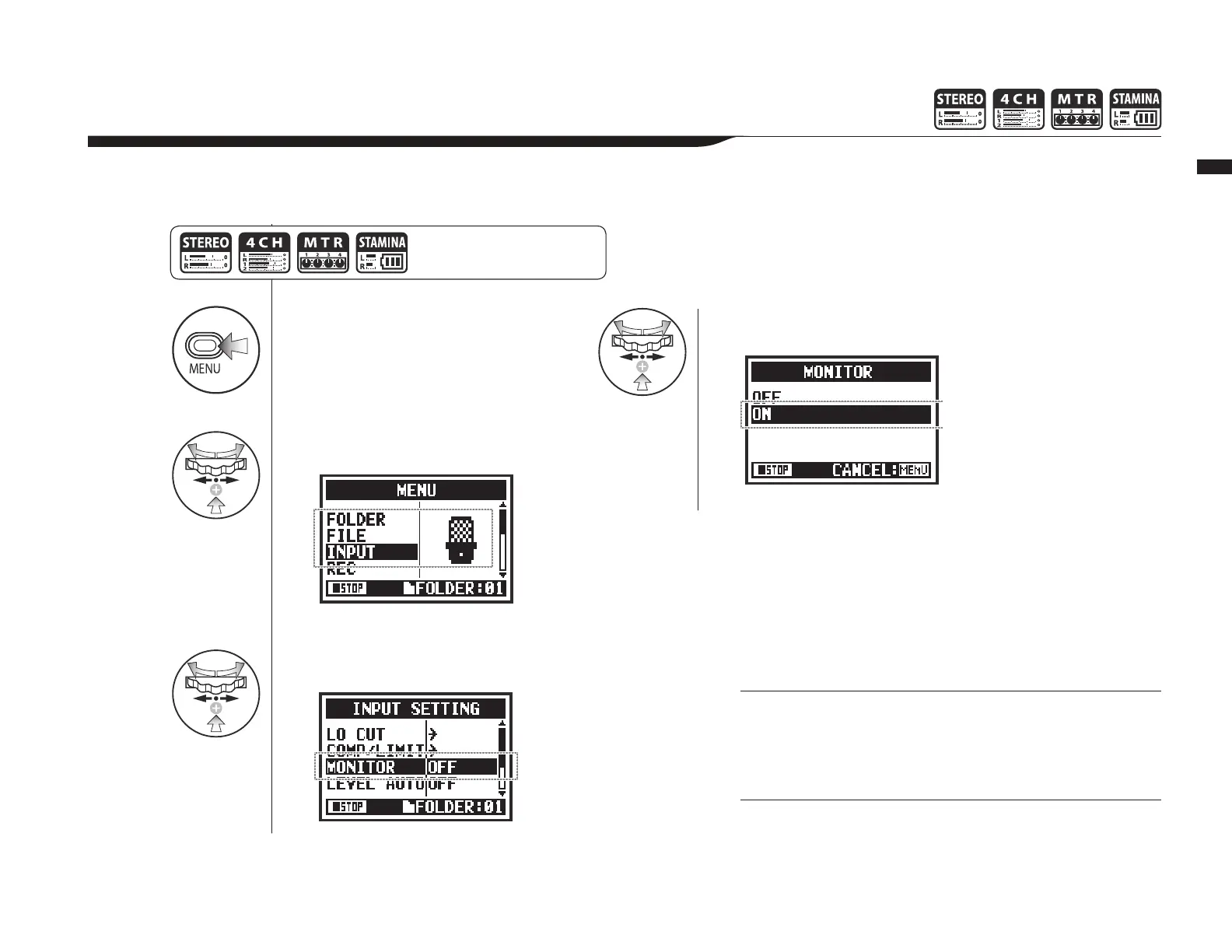
Turning on the MONITOR function allows you to monitor input signals at all times.
7YLZZ [OL 4,5< I\[[VU MVY
TVYL[OHUZLJVUKZHUKZ[HY[
VWLYH[PVUMYVT[OL[VWZJYLLU
You can always monitor the input source through the LINE/
PHONE stereo out mini jack when in recording standby.
You cannot monitor input sounds through the built-in speaker.



 To Next Page