Reference [Track Editing]
ZOOM MRS-802
53
Editing using V-takes
Recorded audio data can also be edited in V-take units. You
can for example exchange the data on two V-takes, or delete
a V-take that is no longer needed.
Basic V-take editing steps
When editing audio data in V-take units, some steps are
similar for each action. These are as follows.
1.
From the main screen, press the [TRACK
PARAMETER] key in the track parameter section.
2.
Use the cursor up/down keys to bring up the
following indication on the display.
In this condition, you can switch V-takes.
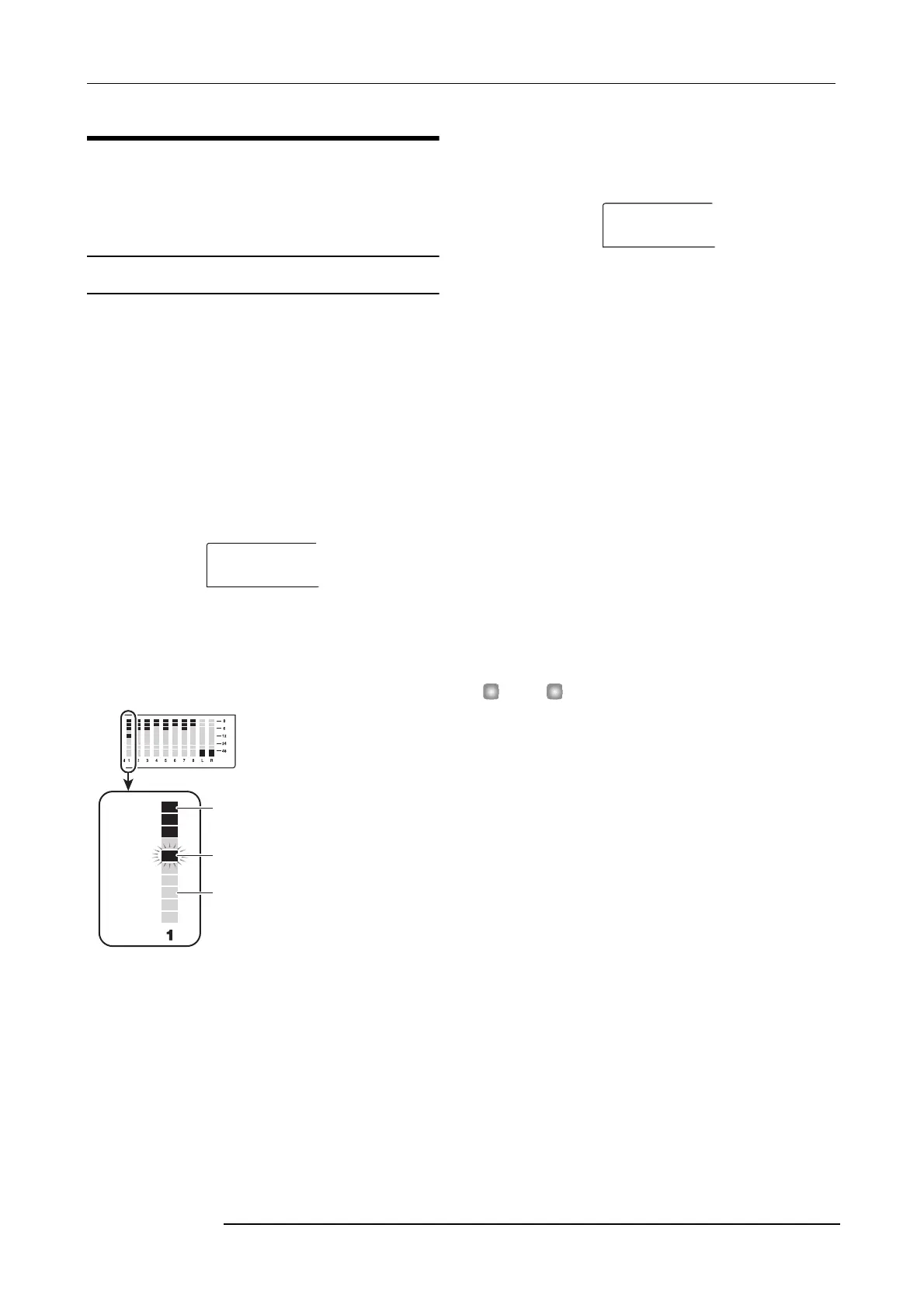
While this screen is shown, the level meter’s dot flashing/lit/
out status indicates the V-take selection and the presence or
absence of audio data.
3.
Use the cursor left/right keys and the dial to select
a track and V-take.
The status key for the currently selected track is lit in
orange. You can also press a status key to select a track.
It is also possible to select the master track. In this case, the
indication shows “M- 1” and the [MASTER] status key is
lit.
4.
Press the [UTILITY] key in the display section.
A menu for editing audio data in track units appears on the
display.
5.
Repeatedly press the [UTILITY] key to call up the
desired command.
The following editing commands are available.
• ERASE
Erase the audio data on a specified track/V-take.
• COPY
Copy the audio data of a specified track/V-take to another
track/V-take.
• MOVE
Move the audio data of a specified track/V-take to another
track/V-take.
• EXCHG (Exchange)
Exchange the audio data of a specified track/V-take with the
data of another track/V-take.
HINT
If necessary, you can also change your selection of track and
V-take from this screen.
6.
Press the [ENTER] key.
The subsequent steps will differ, depending on which
command was selected. See the sections for the respective
commands.
7.
When the editing command has been executed,
repeatedly press the [EXIT] key to return to the
main screen.
TR 1- 1
1
2
3
4
5
6
7
8
9
10
V-take
Lit: recorded V-take
Out: unrecorded V-take
Flashing: currently selected V-take
Track
ERASE
TR 1- 1



 To Next Page