9
Bouncing tracks
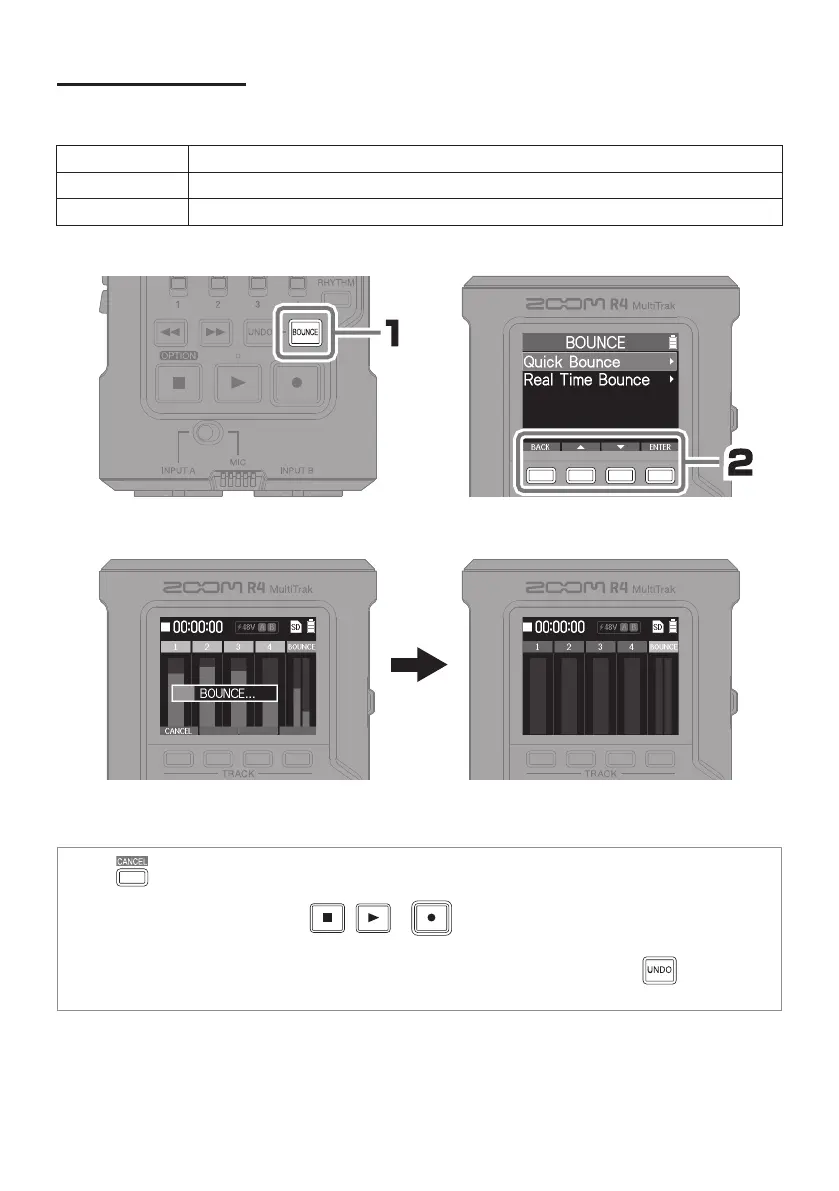
Tracks 1–4 can be combined in a BOUNCE track. Quick Bounce and Real Time Bounce
options are available.
Item Explanation
Quick Bounce This can quickly combine tracks 1–4 in the BOUNCE track.
Real Time Bounce This allows faders to be used to adjust levels while bouncing tracks 1–4 to the BOUNCE track.
Clearing tracks 1–4 makes additional re-
cording possible.
• Press to cancel when bouncing.
• During a Real Time Bounce, pressing
, or will bounce the recording up to that moment to the
BOUNCE track.
• To revert a bounce to the previous state (restore the original recordings to tracks 1–4), press
.
The UNDO function can only be used on the most recent bounce.



 To Next Page