24
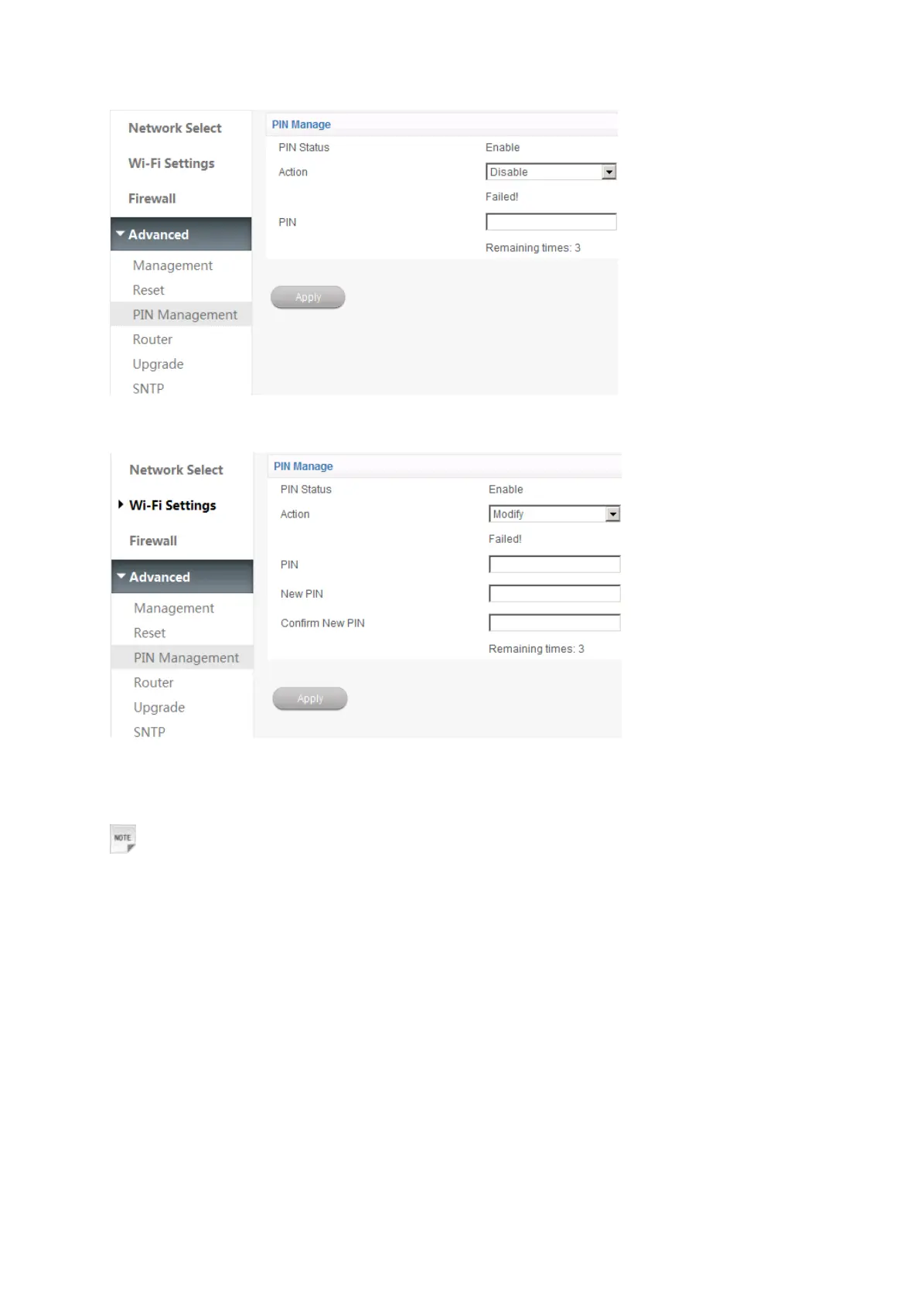
If you select Modify, the following page will display:
Input the old PIN code, and then input the new PIN code two times. Click Apply to confirm your
configuration.
Notes:
Consecutive inputting wrong PIN code for three times will cause locking of (U)SIM card. To unlock, you
need PUK code.
PIN code and PUK code may be offered together with the (U)SIM card. If not, please contact with
network operator. Please change default PIN code to your own as soon as possible.
Router
Note: This function is available in LTE Gateway mode and Cable Broadband mode.
Select Settings > Advanced > Router, the router information is shown in the following figure:




 To Next Page