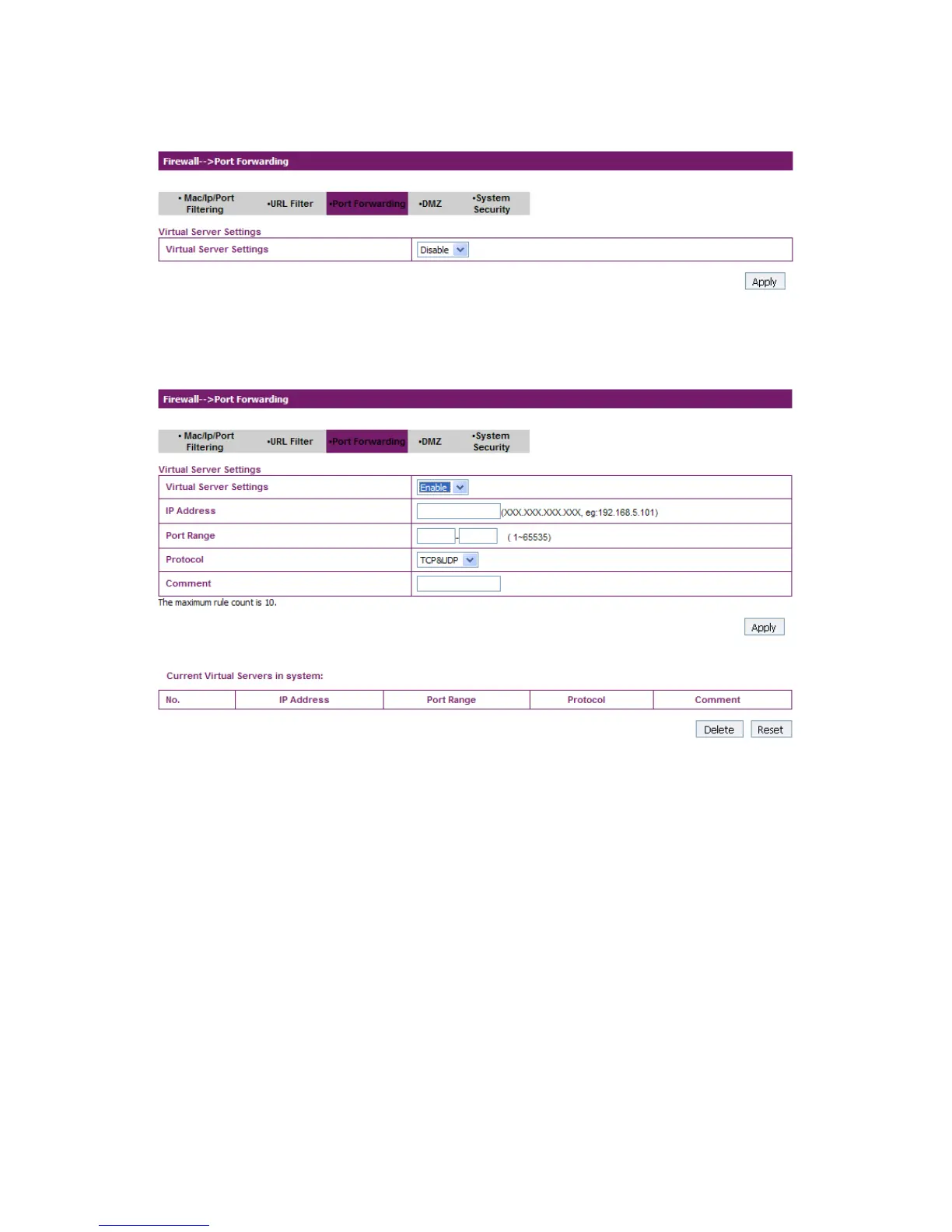
If you select Enable, the Virtual Server Settings will appear:
IP Address: Set IP address for the virtual server.
Port Range: Set port numbers for the virtual server.
Protocol: Set protocol for the virtual server.
Comment: Type comment for the virtual server settings.
Select Enable, and input the detail information in the Virtual Server
Settings area, and then click Apply to add a new rule. Click Delete to
delete the rule which you selected. Click Reset to clear what you
select or input.
4. DMZ


 To Next Page