EasyManua.ls Logo

Zte MF63 - User Manual

Zte MF63
24 pages
Print Icon
To Next Page IconTo Next Page
Loading...
1
ZTE MF63
Let’s go
Getting started with your device.

Other manuals for Zte MF63

Questions and Answers

  • T
    tamimorganSep 12, 2025
    Why client cannot access the Internet when using AP Station mode on Zte MF63?
    • G
      Glenn HansonSep 12, 2025
      If the client cannot access the Internet when you use AP Station mode on your Zte Wireless Router, ensure that the other WLAN device is already connected to the Internet and that the subnet of your device and the other WLAN device is different.
  • G
    greenryanSep 12, 2025
    What to do if I can't establish a USB connection between my device and PC with Zte Wireless Router?
    • M
      matthew56Sep 12, 2025
      To establish a USB connection, install the software by running the installation program in the path of My Computer > SMART BRO. If the driver of your device is abnormal, reinstall the software, uninstalling it first.
  • J
    Jeremy ClementsSep 15, 2025
    What to do if the client cannot access the Internet in AP Station mode on my Zte MF63 Wireless Router?
    • J
      Jenna JohnsonSep 15, 2025
      If the client cannot access the Internet in AP Station mode, ensure the other WLAN device has already connected to the Internet and verify that the subnet of your device and the other WLAN device is different.

Summary

Getting Started with ZTE MF63

Initial Device Setup

Guide to begin using your ZTE MF63 device for the first time.

Legal and Disclaimer Information

Getting to Know Your Device

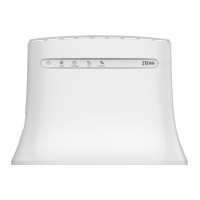
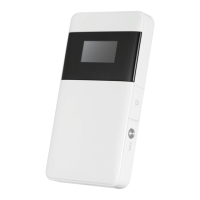
Device Appearance and Components

Details and visual representation of the ZTE MF63's physical parts and interfaces.

Understanding Device Indicators

Internet Connection Scenarios

3 G Mode Connection

How to connect to the internet using your device's SIM card.

AP Station Mode Connection

Connect your device to other WLAN devices via Wi-Fi for internet access.

Installing Your ZTE MF63 Device

SIM and Battery Installation

Step-by-step guide for inserting the SIM card, battery, and optional microSDHC card.

Connecting to Your ZTE MF63

Wi-Fi Connection Setup

Instructions on how to connect your client device to the ZTE MF63 using Wi-Fi.

USB Cable Connection Setup

Steps to connect your device to a PC using a USB cable for internet access.

Accessing the Internet with ZTE MF63

3 G Mode Internet Access

How to access the internet in Automatic or Manual mode via 3G.

AP Station Mode Internet Access

Steps to configure and connect to the Wi-Fi hotspot in AP Station mode.

Configuring Your PC for Wi-Fi

TCP;IP Settings Configuration

Guide to configure TCP/IP settings for Wi-Fi connection on your PC.

Safety, Warnings, and Usage Guidelines

Owner Safety and Device Handling

Precautions for owners regarding device usage, medical devices, and safe handling.

Battery Usage and Limited Warranty

Battery Care and Warranty Terms

Guidelines for battery care and understanding the product's limited warranty terms.

Limitation of Liability and Troubleshooting

Troubleshooting Common Issues

Solutions for common problems like connection issues, webGUI access, and password problems.

Zte MF63 Specifications

General IconGeneral
Wi-Fi Standard802.11b/g/n
Frequency Bands2.4 GHz
Maximum Wireless Speed150 Mbps
Max Download Speed21.6 Mbps
Max Upload Speed5.76 Mbps
SIM Card SlotYes
SecurityWEP, WPA, WPA2
BatteryYes
Operating TimeUp to 4 hours
Standby TimeUp to 100 hours
ModelMF63
Operating Temperature0°C to 40°C
Storage Temperature-20°C to 60°C

Related product manuals