EasyManua.ls Logo

Zte MF993C - User Manual

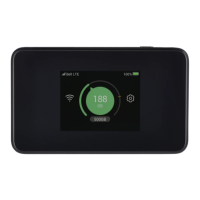
Zte MF993C
39 pages
Print Icon
To Next Page IconTo Next Page
Loading...
MF993C
User Manual
IC ID:5200E-MF993C
FCC ID:SRQ-MF993C

Questions and Answers

  • P
    Pamela ArellanoAug 5, 2025
    How to fix LTE Hotspot configuration page cannot be visited on Zte device?
    • B
      Betty HallAug 5, 2025
      If you cannot access the LTE Hotspot configuration page, make sure you are entering the correct address, which can be found on the device label for the default Device Manager Website IP address. Ensure that you are only using one network adapter in your PC and that you are not using any proxy server.
  • S
    Sara HardinAug 15, 2025
    What to do if my client connected to Zte MF993C Network Hardware cannot access the Internet?
    • A
      Alexis YoungAug 15, 2025
      If your client, connected to the Zte Network Hardware, cannot access the internet, ensure your nano-SIM card is working correctly. Try changing your location to find a place with a better signal. Also, check the settings of the WAN connection mode. If the problem persists, contact your service provider to confirm your APN settings.
  • X
    xlittleAug 26, 2025
    What to do if Wi-Fi connection between my Zte MF993C Network Hardware and a client cannot be established?
    • T
      Tamara McmillanAug 26, 2025
      If the Wi-Fi connection between your Zte Network Hardware device and a client cannot be established: * Ensure that the Wi-Fi function is enabled. * Refresh the network list and select the correct SSID. * Check the IP address, and ensure that your client can automatically obtain an IP address. * Enter the correct network key (Wi-Fi password) when you connect the client to your device.

Summary

Legal Information

Copyright and Usage Restrictions

Copyright notice and restrictions on reproduction and use of the manual.

Getting Started

Introduction

Introduces the ZTE MF993C as a 4G LTE mobile hotspot.

Device Setup

Instructions for installing battery, nano-SIM card, and charging the device.

Device Operation

How to power on/off the device and lock/unlock the screen.

Interface Navigation

Explains the touch screen layout and displays common icons and their meanings.

Connection Scenarios

Illustrates different ways to connect devices to the MF993C.

Connecting to the MF993 C

Connecting via Wi-Fi

Steps to connect to the MF993C using its default Wi-Fi name and password.

Using Wi-Fi Protected Setup (WPS)

Instructions for connecting via Wi-Fi using WPS authentication method.

Connecting via USB Type-C Cable

How to connect the MF993C to a computer using a USB Type-C cable.

Configuring Your PC for Network Access

Accessing the LTE Hotspot Configuration Web Page

Navigating the LTE Hotspot Configuration Web Pages

Phonebook and Text Messaging

Managing the Phonebook

Instructions for viewing, adding, editing, and deleting contacts.

Managing Text Messages

How to view, delete, forward, and configure message settings.

Managing Data Usage

Access Controls

Managing Settings

Cellular Settings

How to manage mobile network settings via web page or touch screen.

Wi-Fi Configuration

Covers basic, WPS, advanced Wi-Fi settings and network name/password.

Touch Screen Settings

Options to manage touch screen language, brightness, and display timeout.

Advanced Device Settings

Configuration for power-save, router, firewall, system updates, and other features.

For Your Safety

General User Safety Precautions

General safety precautions for using the device, including electronic interference.

Battery Safety Guidelines

Important guidelines for safe handling and charging of the battery.

Warranty and Liability

Details about the product's limited warranty and ZTE's liability.

Regulatory Compliance

Information on RF exposure, FCC, and IC compliance.

Troubleshooting

Zte MF993C Specifications

General IconGeneral
LTE CategoryCat 6
Max Download Speed300 Mbps
Max Upload Speed50 Mbps
Battery Capacity3000 mAh
Max Wi-Fi Users10
Weight150 g
Wi-Fi Frequency2.4 GHz / 5 GHz
Device TypeMobile Hotspot
Network Technology4G LTE
Wi-Fi Standard802.11 b/g/n
Supported frequency bandsB1/B3/B7/B8/B20
SIM Card SlotNano-SIM

Related product manuals