• Music Auto Resumes: The previous music tasks will automatically resume when the
device is restarted or reconnected to the network.
Note: It is recommended the volume level setting not exceed 7 under POE power
supply mode, otherwise it may cause the device to restart.
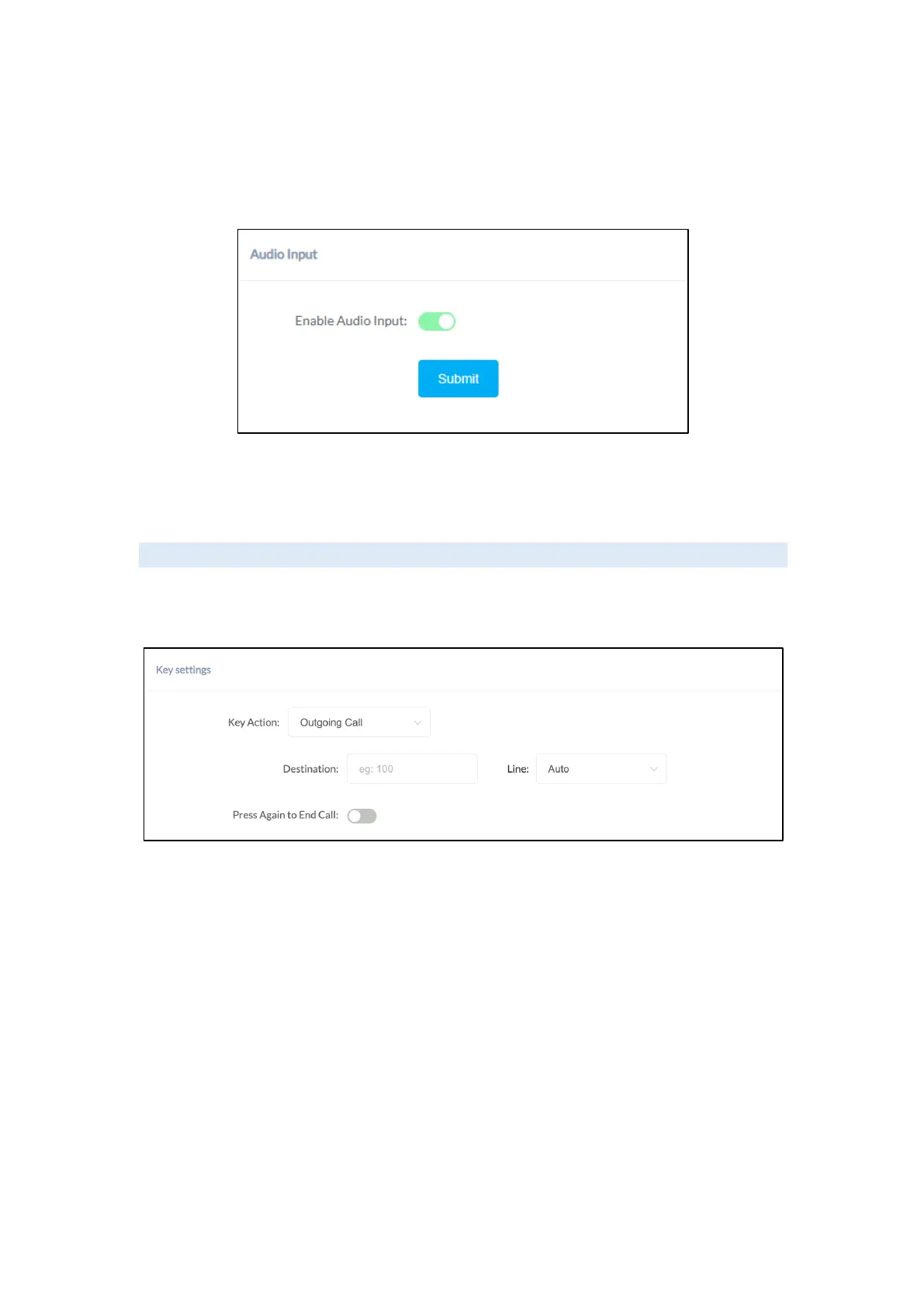
• Audio Input (For SL30 Only): Enable/Disable Audio Input. When this opinion is
enabled, the speaker will take the external audio input source as well.
I/O Settings
I/O settings (available for SC10, SC15, SW15 & SL30) are used to configure the dry contact
relay control options. Please go to the Settings -> I/O Settings page.
Key Linkage
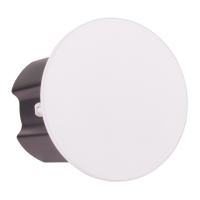
• Event Linkage Action: Select the event linkage action to select [Outgoing Call],
[HTTP Request], [Play Audio].
• Destination: This setting represents the response device’s number when the
external button is pressed.
• Line: This setting represents the corresponding line for making
outgoing calls.
Note: when using the P2P line to call, please specify the device’s number plus
IP address, such as 101@192.168.11.123.
• HTTP URL: Configure the API URL address triggered by linkage.
• Audio File: Configure audio triggered by linkage.
• Repeat: Configure the number of audio repetitions triggered by linkage.
• Press Again to End Call:After the call is connected, users can end the call or
conversation by pressing the button again.


 To Next Page