Turn the DHCP switch button off to show the network parameter settings.
Network Configuration Parameters
• Access Type: Specify the access method of the website, which currently
supports HTTP and HTTPS.
• IP Address: Enter a vacant IP address within your LAN.
• Subnet Mask: Enter the subnet mask of your LAN.
• Default Gateway: Enter the default gateway of your LAN, this is essential for
the network speakers when the IP Audio Center or other SIP server is installed outside the
LAN.
• Primary DNS: Enter an effective primary DNS server address.
• Alternative DNS: Enter an alternative DNS server address, when the primary
DNS fails, alternative DNS will be used.
Time
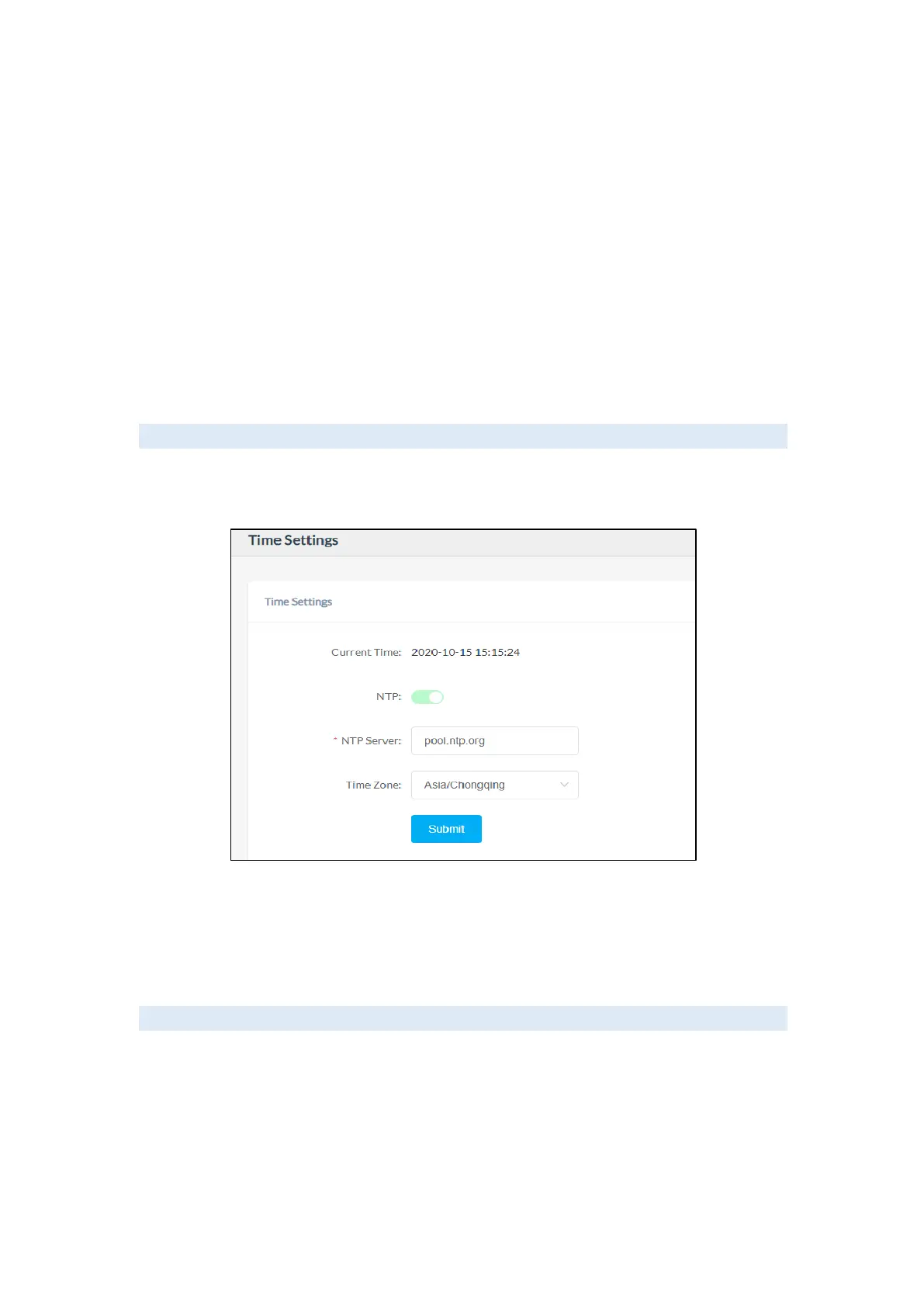
The network speakers obtain time from the network time servers using NTP, to change the
NTP settings please go to Settings -> Time Settings page.
Here you can change an NTP server by modifying the NTP server address and you can select
the time zone of your location, so the network speaker will synchronize the time of your time
zone from the NTP server you have configured.
Account
For resetting the current device’s password, please go to Settings -> Account



 To Next Page