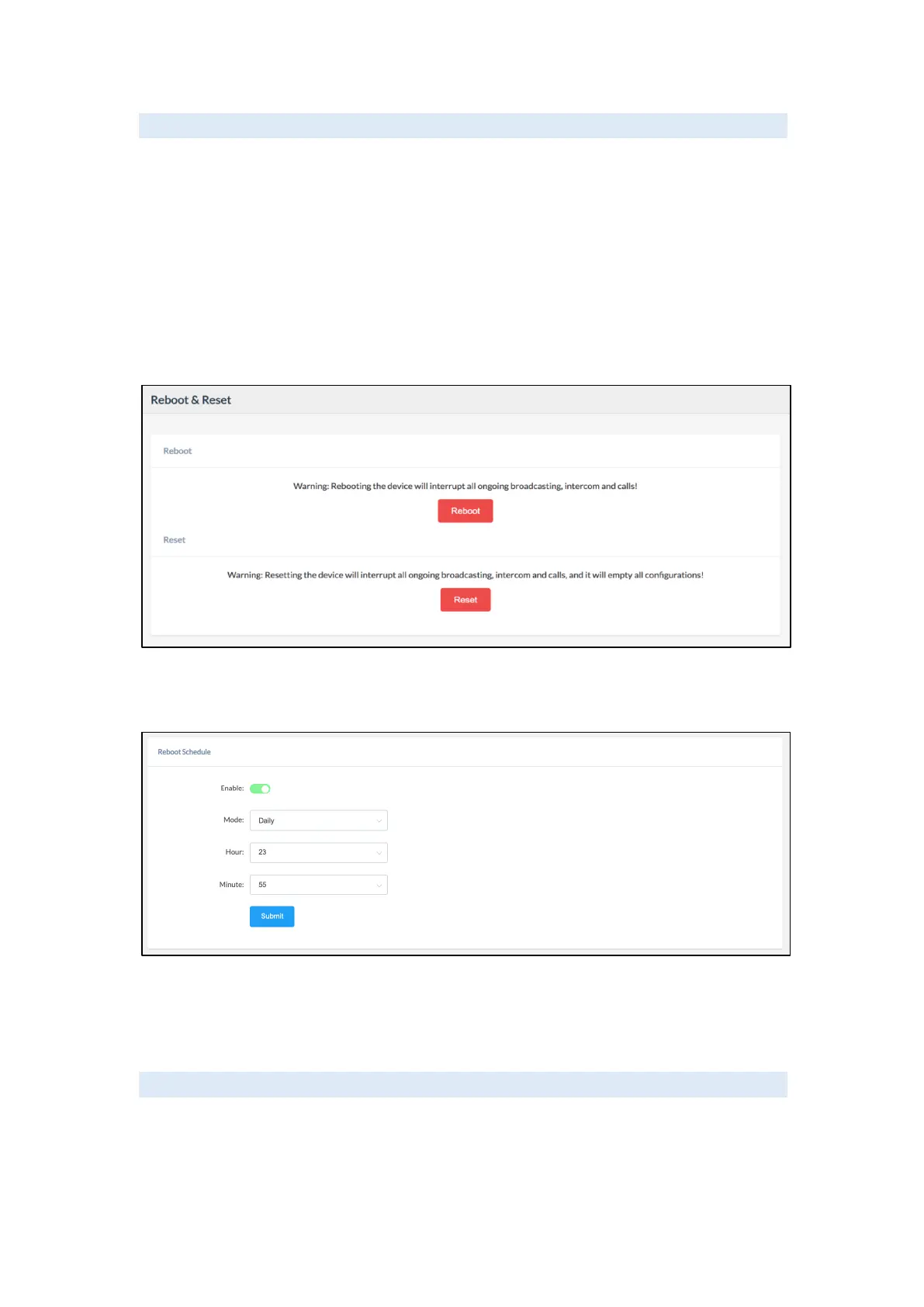
Reboot & Reset
The network speakers can be rebooted and reset from the web management interface on the
Settings -> Reboot & Reset page.
Both reboot and reset actions will terminate all broadcasting and SIP calls (paging). And the
reset action will erase all configurations of the network speakers. Please reboot or reset the
devices when they are not in use.
Except for resetting from the web management interface, the network speakers can be also
reset by the RST button on the rear panel of the speakers. Press and hold the RST button for
10 seconds (5 seconds for IP address announcements) and release, now you should hear the
voice prompts “Resetting factory defaults, rebooting…”, it means the speaker will now reset.
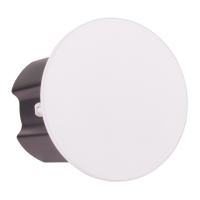
When the Reboot Schedule feature is Enabled, you can set up the automatic reboot daily,
weekly, or monthly at a specified time.
Maintenance Settings
Diagnostic
Ping is a network administration utility or tool used to test connectivity on an IP network.
Input other device's IP address and click on the submit button to trace the network route.


 To Next Page