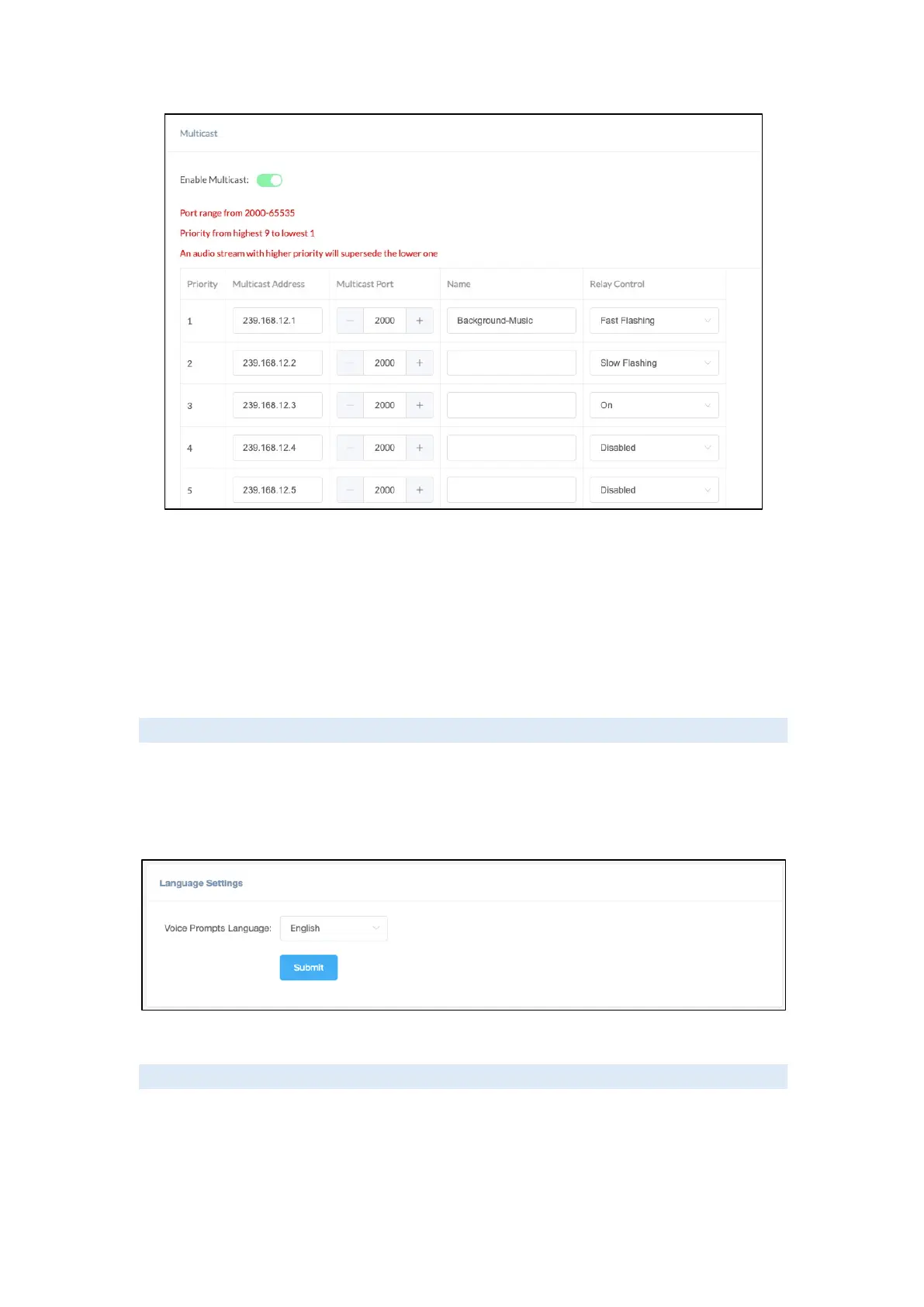
• Priority: Priority from highest 9 to lowest 1.
• Multicast Address: The multicast address range is 224.0.0.0 – 239.255.255.255.
• Multicast Port: The multicast port range is 2000 – 65535.
• Name: Customize the name of the multicast address.
• Relay Control: Options to choose from are ‘Disabled’, ‘On’, ‘Fast Flashing’,
‘Slow Flashing.
Prompt Language
The language of local voice prompts, like IP address announcements, can be set on Settings ->
Language Settings page.
Currently, only Chinese and English are provided.
Audio Files
The Audio files section allows users to self-upload up to 5M of audio files to the endpoint and
use it as a ringtone or Play API audio file. Please click on the ‘Select audio file’ button to select
and upload the local audio file, then click on the ‘upload’ button to upload it. Click on the ‘play’
to test and play the audio file and the ‘delete’ button for deleting the audio file.



 To Next Page