Chapter 5 Dashboard
ZyWALL 110/310/1100 Series User’s Guide
75
5.2.2 The Memory Usage Screen
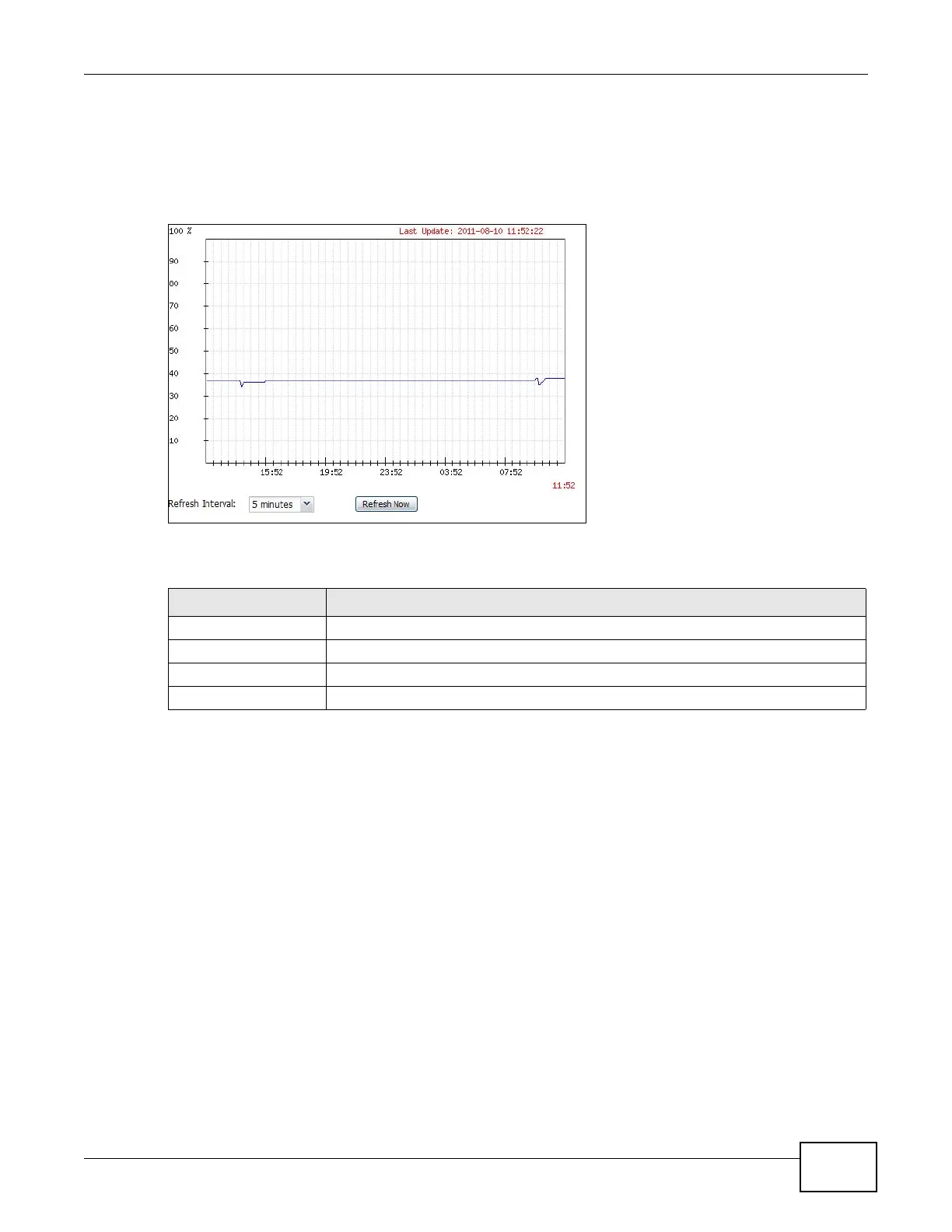
Use this screen to look at a chart of the ZyWALL’s recent memory (RAM) usage. To access this
screen, click Memory Usage in the dashboard.
Figure 53 Dashboard > Memory Usage
The following table describes the labels in this screen.
5.2.3 The Active Sessions Screen
Use this screen to look at a chart of the ZyWALL’s recent traffic session usage. To access this
screen, click Session Usage in the dashboard.
Table 16 Dashboard > Memory Usage
LABEL DESCRIPTION
The y-axis represents the percentage of RAM usage.
The x-axis shows the time period over which the RAM usage occurred
Refresh Interval Enter how often you want this window to be automatically updated.
Refresh Click this to update the information in the window right away.







 To Next Page