EasyManua.ls Logo

ZyXEL Communications ZYWALL 35 - User Manual

ZyXEL Communications ZYWALL 35
872 pages
Print Icon
To Next Page IconTo Next Page
Loading...
www.zyxel.com
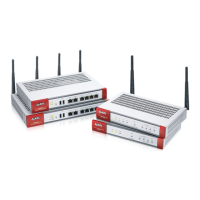
ZyWALL 5/35/70 Series
Internet Security Appliance
Users Guide
Version 4.03
1/2008
Edition 1
DEFAULT LOGIN
IP Address http://192.168.1.1
Password 1234

Table of Contents

Other manuals for ZyXEL Communications ZYWALL 35

Questions and Answers

  • D
    Diana GibsonNov 24, 2025
    How to troubleshoot access to the web configurator on my ZyXEL Communications Gateway?
    • M
      Michael EdwardsNov 24, 2025
      If you cannot access the web configurator of your ZyXEL Communications Gateway, ensure that there is no running SMT console session. When configuring from the WAN, use the ZyWALL’s WAN IP address. When configuring from the LAN, use the ZyWALL’s LAN IP address. Also, verify that web service access is enabled and that your computer’s IP address matches any configured secured client IP address. For LAN access, ensure your computer’s and the ZyWALL’s IP addresses are on the same subnet. If you changed the ZyWALL’s LAN IP address, use the new one as the URL. Remove any web service blocking filters in SMT menu 3.1 (LAN) or menu 11.5 (WAN). Clearing your Internet browser’s cache may also help. If your computer is switched between devices with the same IP address, clear your computer’s ARP table u...
  • M
    Mrs. Lisa BennettAug 23, 2025
    Why can't my ZyXEL Communications Gateway get a WAN IP address from my ISP?
    • M
      Michael GarciaAug 23, 2025
      If you cannot get a WAN IP address from your ISP using the ZyXEL Communications Gateway, remember that the ISP provides the WAN IP address after authentication. If you're using PPPoE or PPTP, ensure you've entered the correct Service Type, User Name, and Password, noting that these are case-sensitive. If your ISP requires MAC address authentication, clone the MAC address from your computer on the LAN as the ZyWALL's WAN MAC address. If a host name is needed, configure your computer's name as the ZyWALL's system name.
  • J
    Justin LoweAug 27, 2025
    What to do if no LEDs light up when I power on my ZyXEL Communications Gateway?
    • R
      Ronald JacksonAug 27, 2025
      If none of the LEDs turn on when you turn on the ZyXEL Communications Gateway, ensure the included power adapter or cord is correctly connected to both the ZyWALL and a working power source. If the issue remains, it may indicate a hardware problem, and you should contact your vendor.
  • J
    Jessica NunezAug 27, 2025
    How to troubleshoot console port access on a ZyXEL Communications Gateway?
    • M
      Melissa VincentAug 27, 2025
      If you cannot access the ZyXEL Communications Gateway via the console port, first check that the ZyWALL is properly connected to your computer's console port. Then, verify that your communications program is configured correctly. It should use VT100 terminal emulation, with the default speed at 9600 bps (try other speeds if it has been changed), no parity, 8 data bits, 1 stop bit, and no data flow control.
  • M
    Mike ManningAug 28, 2025
    What to do if I cannot ping any computer on the LAN through my ZyXEL Communications Gateway?
    • J
      Jacqueline CookAug 29, 2025
      If you cannot ping any computer on the LAN using your ZyXEL Communications Gateway, check the 10M/100M LAN LEDs on the front panel; one of them should be lit. If both are off, inspect the cables connecting your ZyWALL to the hub or the station. Also, ensure that the IP address and subnet mask of both the ZyWALL and the computers are on the same subnet.
  • A
    alexis41Sep 18, 2025
    What to do if I cannot access servers on the DMZ from the LAN using ZyXEL Communications Gateway?
    • B
      beckdylanSep 18, 2025
      Check your Ethernet cable type and connections. Ensure the Ethernet adapters on the LAN computer and the DMZ server are installed and functioning properly. Verify that the IP address of the DMZ port and the LAN port are on separate subnets. Make sure that NAT is configured for your DMZ servers.
  • S
    Sophia JonesSep 14, 2025
    How to access web configurator on ZyXEL Communications Gateway?
    • R
      Rachael BrownSep 15, 2025
      Ensure no SMT console session is running. When configuring from the WAN, use the ZyXEL Communications Gateway’s WAN IP address. When configuring from the LAN, use the ZyXEL Communications Gateway’s LAN IP address. Ensure web service access is enabled and your computer’s IP address matches any configured secured client IP address. Your computer’s and the ZyXEL Communications Gateway’s IP addresses must be on the same subnet for LAN access. If you changed the ZyXEL Communications Gateway’s LAN IP address, enter the new one as the URL. Remove any filters in SMT menu 3.1 (LAN) or menu 11.5 (WAN) that block web service. Clear your Internet browser’s cache. In Windows, use arp -d at the command prompt to delete all entries in your computer’s ARP table.
  • S
    Stephen ObrienSep 16, 2025
    What to do if I cannot ping any computer on the LAN using ZyXEL Communications Gateway?
    • D
      davidmillerSep 16, 2025
      Check the 10M/100M LAN LEDs on the front panel of the ZyXEL Communications Gateway; one should be lit. If both are off, verify the cables between your ZyXEL Communications Gateway and the hub or station. Also, ensure that the IP address and subnet mask of the ZyXEL Communications Gateway and the computers are on the same subnet.
  • H
    Haley BassSep 7, 2025
    Why can't I ping any computer on the LAN using ZyXEL Communications Gateway?
    • D
      debbiemartinezSep 7, 2025
      Check the 10M/100M LAN LEDs on the front panel of the ZyXEL Communications Gateway. One of these LEDs should be lit. If both are off, inspect the cables connecting your ZyXEL Communications Gateway to the hub or station. Verify that the IP address and subnet mask of the ZyXEL Communications Gateway and the computers are on the same subnet.
  • M
    Melissa PattonSep 4, 2025
    How to reset password on ZyXEL Communications Gateway?
    • K
      Kristen PhillipsSep 4, 2025
      Ensure the password is entered correctly, paying attention to the casing. If you still cannot access the ZyXEL Communications Gateway, use the Reset button to restore the factory default configuration file, which will reset the password and other settings to their defaults.

ZyXEL Communications ZYWALL 35 Specifications

General IconGeneral
BrandZyXEL Communications
ModelZYWALL 35
CategoryFirewall
LanguageEnglish

Related product manuals