DT System Technical Guide 44
Interface Preview
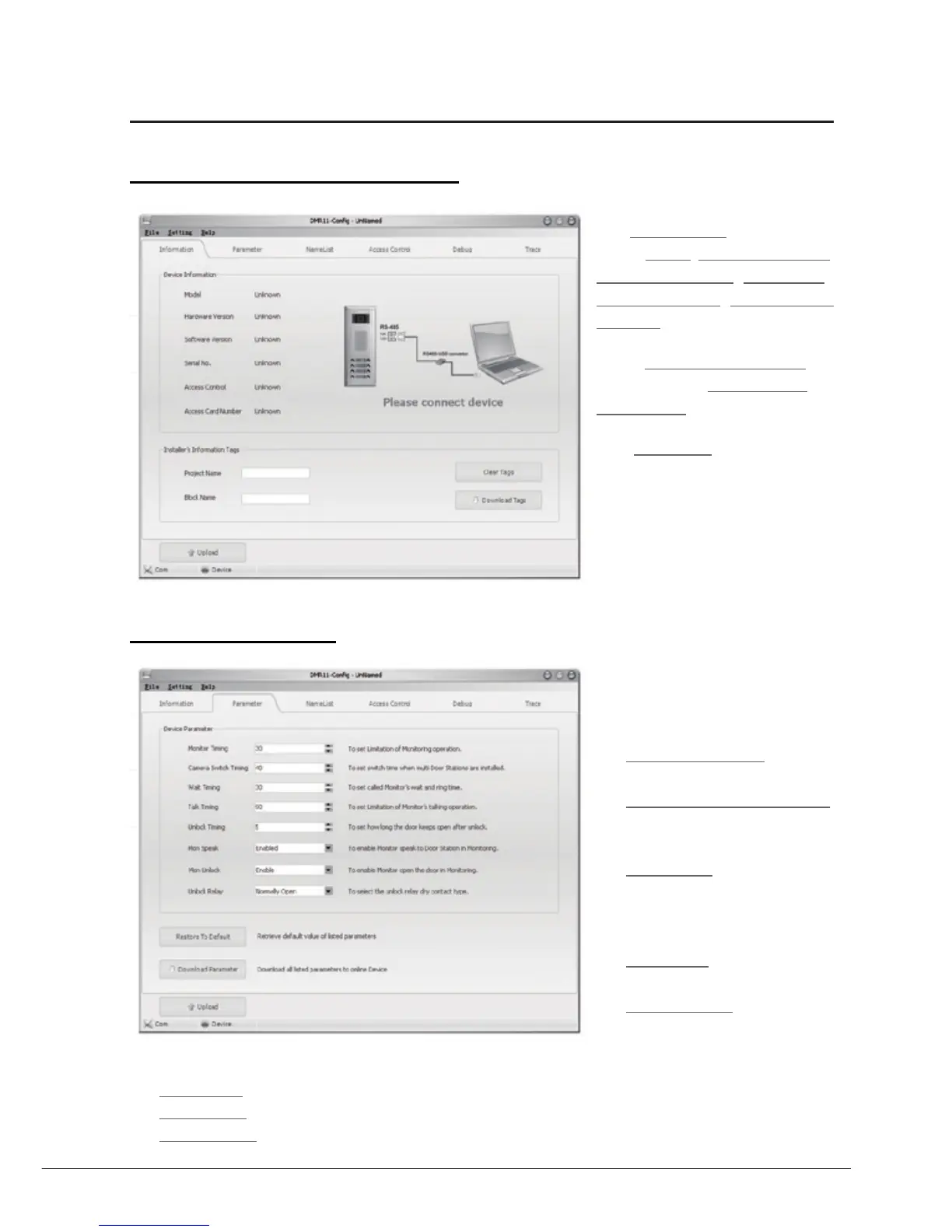
1. Main Menu (Infomation Menu)
The Information tab shows the
product Model, Hardware Version,
Software Version, Serial No. ,
Access Control, Access Card
Number information.
On the Installer's Information tab,
user can input the Project Name and
Block Name for this Door Station.
Note: Series No. is a unique number
programmed in factory and used
for tracking. Refer to the software
do cumen t in the disk for deta il
infomations.
2. Paremeters Menu
The Parameter Menu is for the timing
settings for the system. it includes the
following settings:
• M onit o r Tim i n g : For the
maximun monitoring time setting.
• Camera Swithing Timing:
The surveillance time for each
Door Station or CCTV camera.
• Wait Timing: To set call wait and
ring time, if Monitor don’t answer a
call within this time, calling will be
canceled.
• TalkTiming: Set limitation time
of talking.
• Unlock Timing: To set the time
that how long the door keeps open
when lock is released.
• Mon Speak: To enable the talking with the Door Station when the Monitor is under monitoring state.
• Mon Unlock: To enable the door lock opening operation when the Monitor is under monitoring state.
• Unlock Relay: To select the unlock relay mode for different lock types.



 To Next Page