DT System Technical Guide 6
Jointer*2
Stopper
1 2 3 4 5 6
ON
L1
+12V
T/R -
T/R+
LK - (GND)
CN-LK JP-LK
RS-485
SET
PA
PB
BUS
LK+(COM)
N.O.
EB+
EB -
L2
1
2
3
298.5 mm
114.5 mm
45 mm
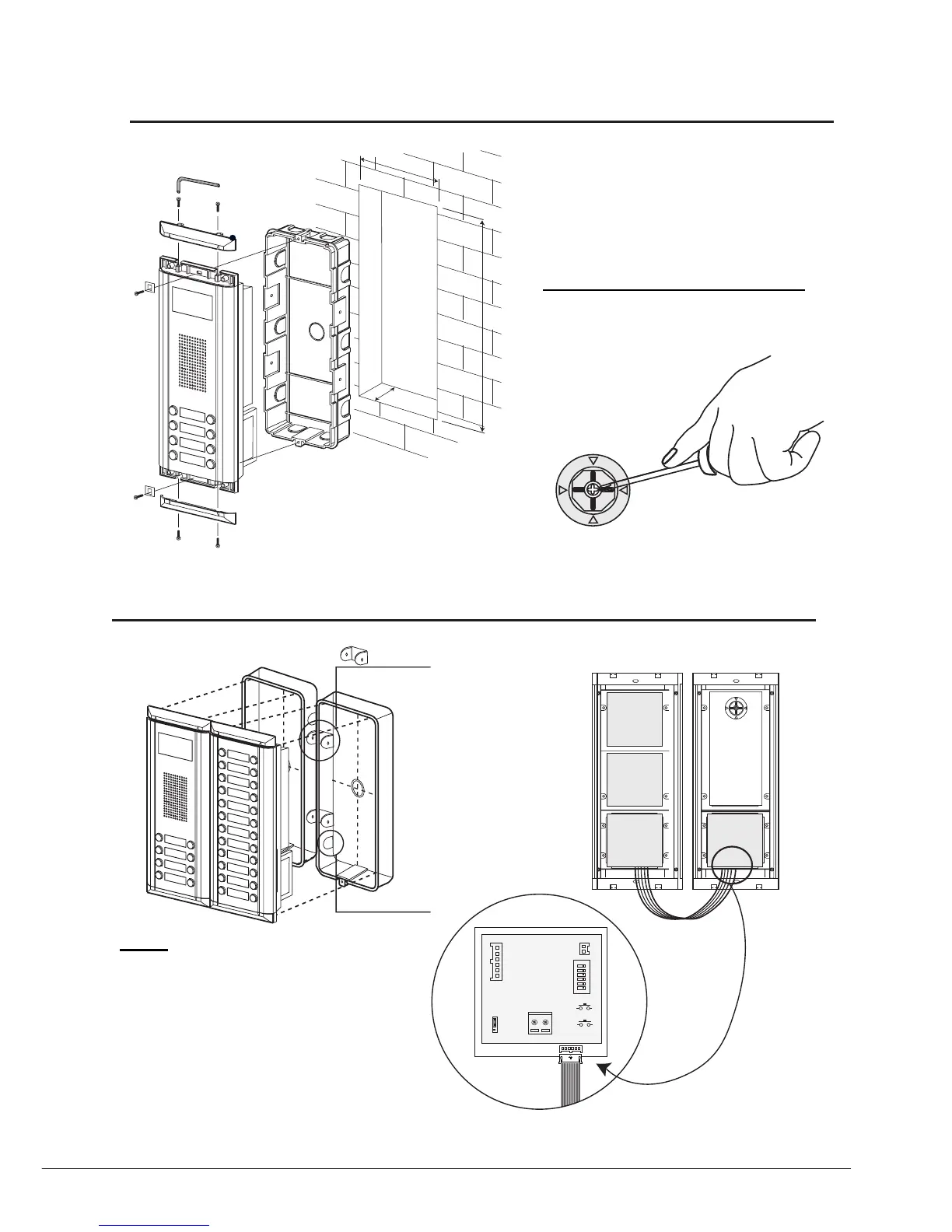
Camera Angle adjustment
Open the mounting box of the panel, use a
cross screw to adjust the view angle of the
camera before installation.
Note
The double button line expantion panel can
only be connected to double button line Door
Station; the single button line expantion panel
can only be connected to single button line
Door Station. For example, the EP11/Dx can
only be connected to DMR11/Dx Door Station.
Standard Installation
Installation with expanding panel



 To Next Page