DT System Technical Guide 46
6. Trace Tool
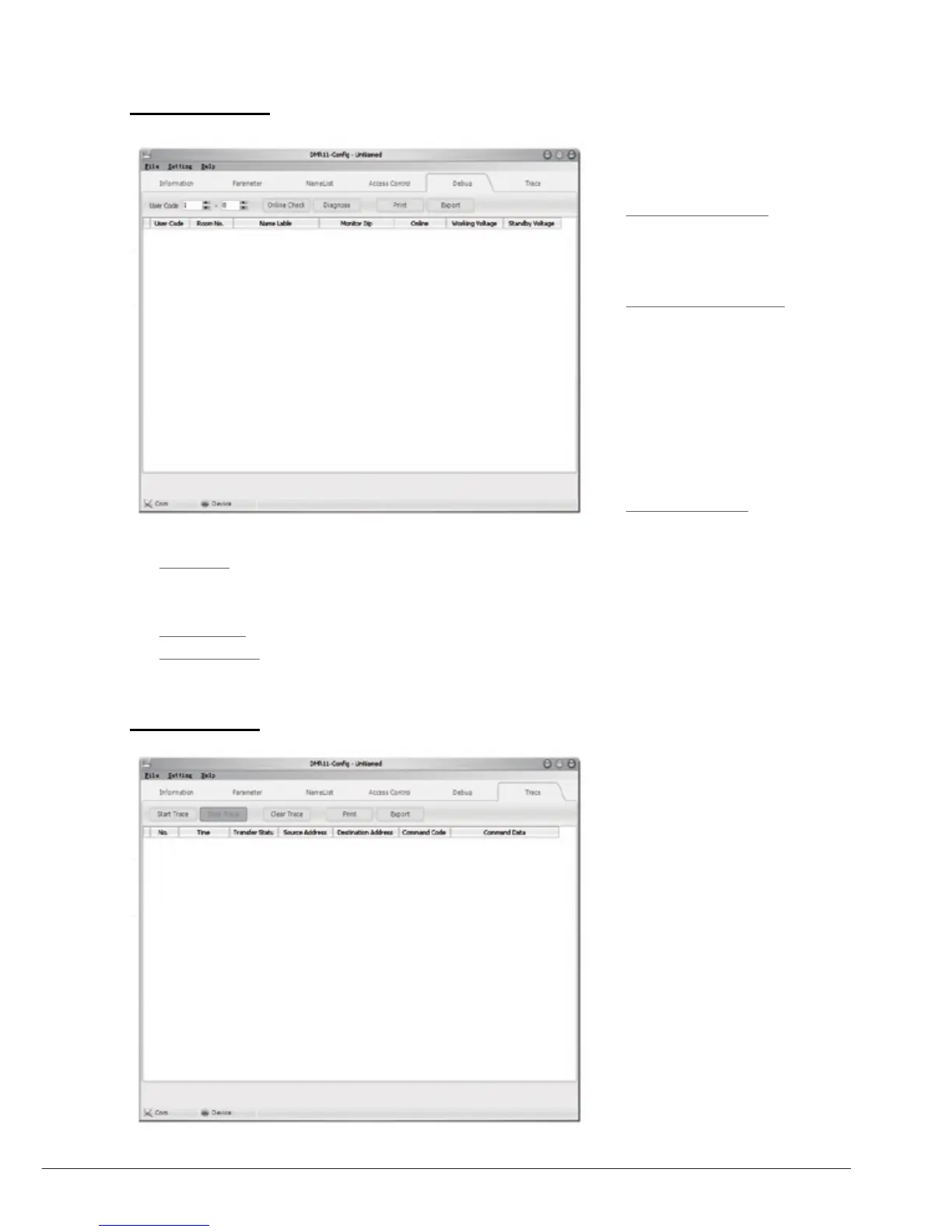
TRACE tool will display all data
communication information presented
on 2wire BUS, which can be a high
end tool used by expertise to check the
system stability, or locate the problem
more easily in a complex installation.
Please note, it is not suitable for normal
installers, as the data streams are
complex. However, installers can send
back the trace log, thus the engineers
can analyze and help.
5. Debug Tool
The debug tool is very useful when
trouble shoot or maintenant the system:
• User Code Range: To change
the User Code s tart an d en d
address, only set valid range will
save more time.
• Online Check Button: Use this
button to start Online searching,
and the result will be showed in list
window.(Online search function is
designed for the purpose of getting a
quick view of the Monitors installing
situations, or to check if each of
them works or not. This is very
useful for installation maintain).
• Diagnose Button: Use this button
to start Diagnose operation, and the result will be showed in list window.
• Diagnose operation will check the Monitor’s working voltage and standby voltage, video signal presentence,
and data communication.(By means of this tool, if a Monitor passes the test, generally this Monitor should works
well).
• Print Button: To print the debug result window information, for installation delivery documentation or memo.
• Export Button: To export the results for future usage.



 To Next Page