11
Connect the Broadband Interface
Now that you have completed the Power and LAN connections, it is time to connect to the broadband
interface. There are two connection methods available:
•VDSL over RJ-11
• VDSL over Coax
If the 3700HGV-B is receiving the VSDL signal via RJ-11, that step was completed in the previous chapter. If
the 3700HGV-B is receiving the VSDL signal via CoAX, refer to the following section.
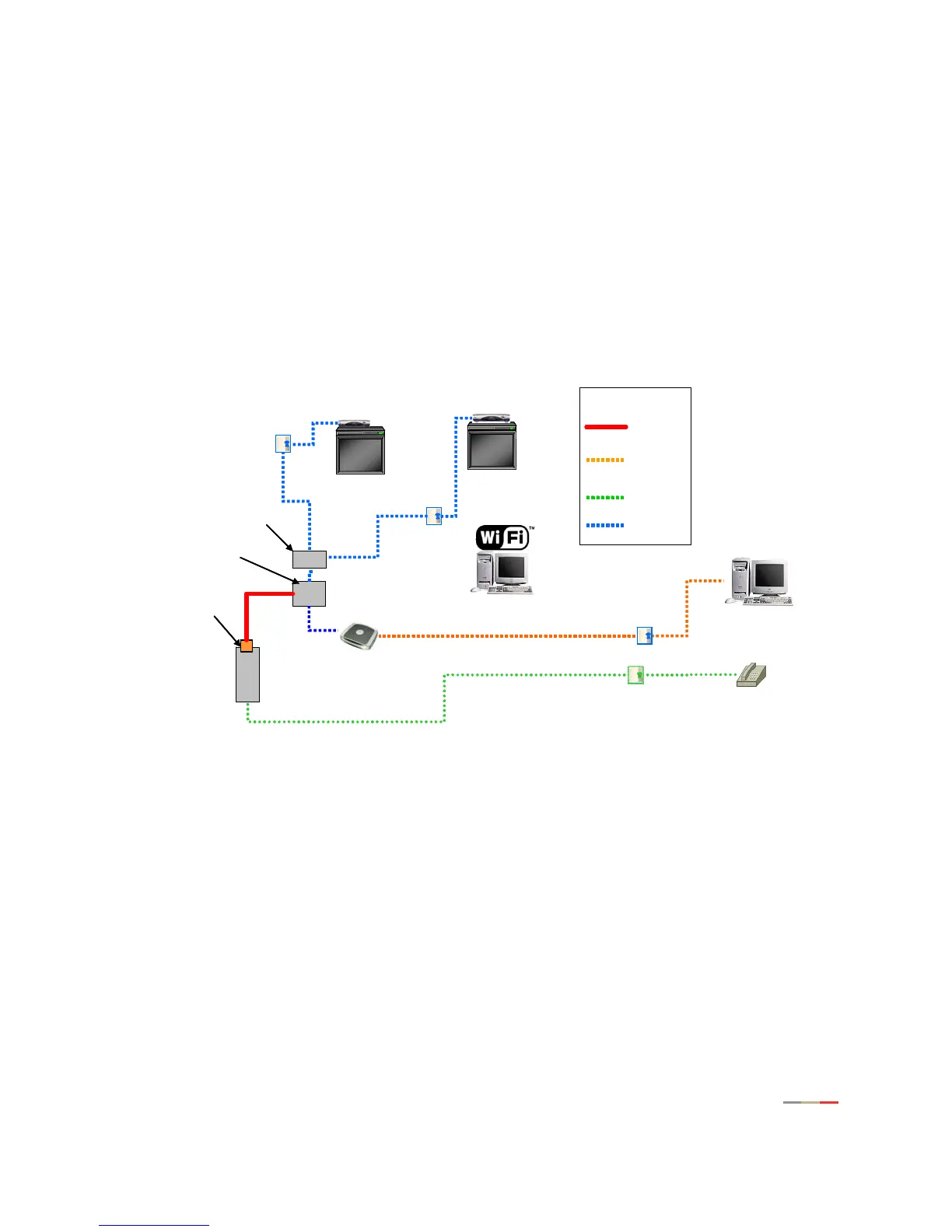
Connecting to VDSL via CoAX
Figure 3. Inside Wiring Diagram
NID
Line 1
(TDM)
from NID
RG
STB
STB
VDSL
Splitter/Balun
LAN
Car-5
CAT-3
Coax
VDSL
Coax
PC LAN
Ethernet
PC Wi-Fi
Splitter
Diplexer
Main
Splitter
Legend
NID
Line 1
(TDM)
from NID
RG
STB
STB
VDSL
Splitter/Balun
LAN
Car-5
CAT-3
Coax
VDSL
Coax
PC LAN
Ethernet
PC Wi-Fi
Splitter
Diplexer
Main
Splitter
Legend



 To Next Page