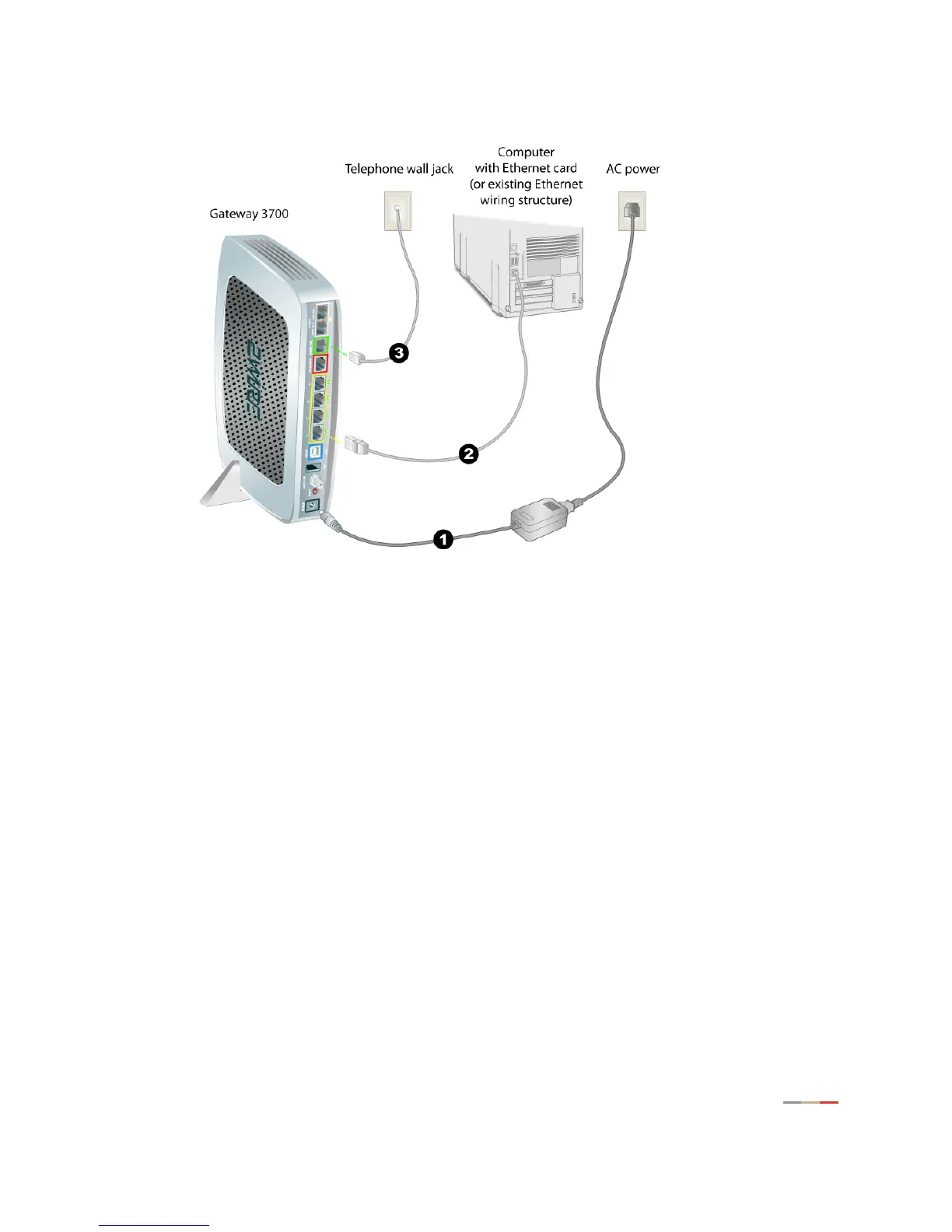
Connect the Computer to the Gateway
6
Ethernet Connection
1. Connect the provided power adapter from the 3700HGV-B's POWER port to an electrical outlet. After the
3700HGV-B has completed its start up process, the
POWER light on the front of the 3700HGV-B should
be green.
2. Connect the yellow Ethernet cable provided with the 3700HGV-B from any available ETHENET port on the
3700HGV-B to the computer’s Ethernet port.
3. If the VDSL signal is carried over the phone line, connect the provided gray phone cable from the
gateway's
PHONE LINE port to telephone wall jack. If the VDSL signal is carried over coax, refer to
page 11.



 To Next Page