13
Gateway User Interface
This chapter describes the 2Wire gateway user interface.
Note: 2Wire recommends that you use Internet Explorer 5.5 (or higher) or Netscape 6
(or higher).
Gateway (System) Pages
Viewing Your System Summary
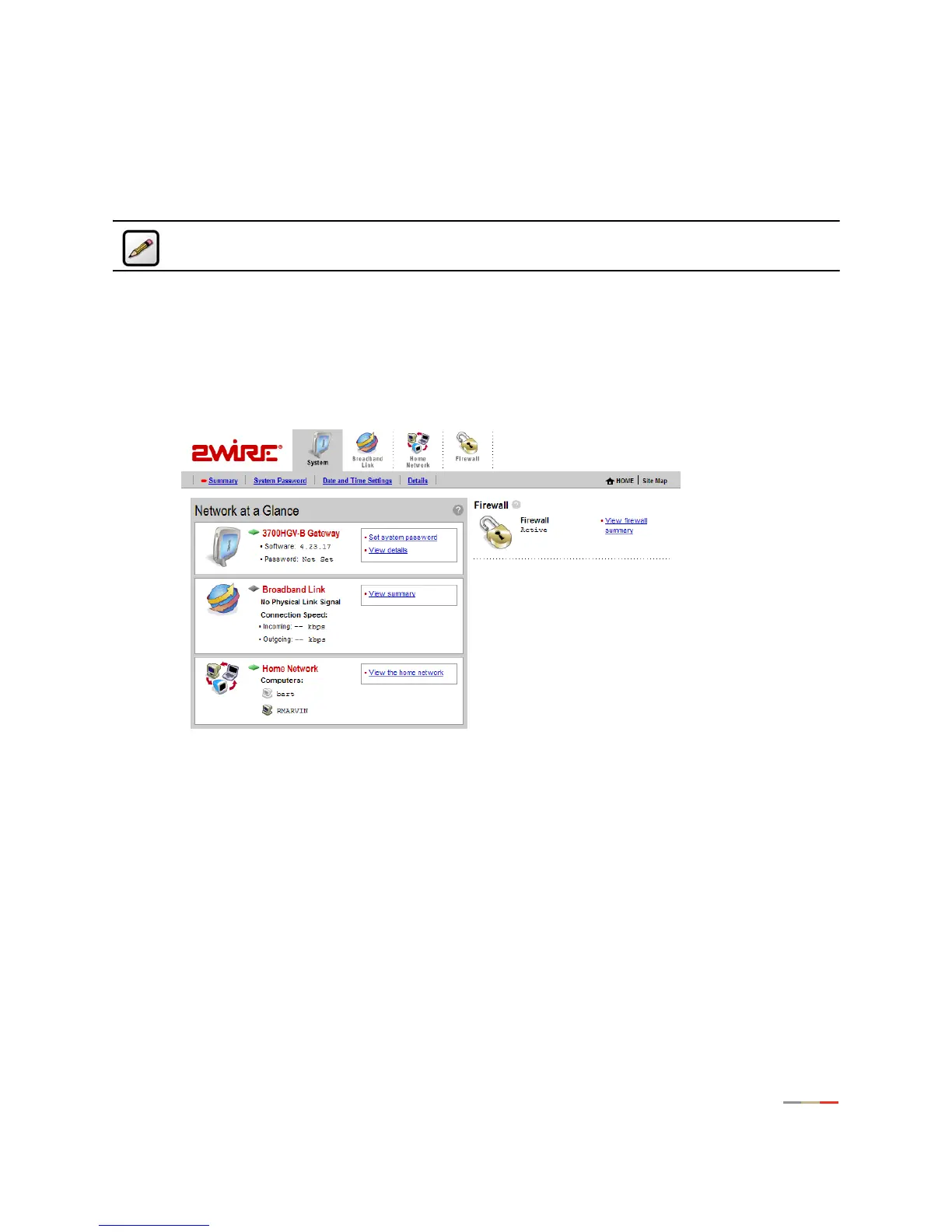
The System Summary page provides general information and links to the gateway’s most commonly used
features.
The Network at a Glance panel provides a summary of the System, Broadband Link, and Home Network
states of your gateway.
• The System area of the Network at a Glance panel displays your 2Wire gateway model name, the
version of gateway software that you are using, and the status of your gateway password. If a password
has been set, you must enter it before you can access 3700HGV-B configuration pages.
• The Broadband Link area of the Network at a Glance panel displays the overall status of your gateway’s
physical and Internet-level connectivity.
• The Home Network area of the Network at a Glance panel displays your system’s
LOCAL NETWORK light
status and a list of the devices currently connected to your local network.



 To Next Page