13
No. Button
1 Access button 1
2 Access button 2
The functions of the Access buttons on the 3500/3500B/3501 IP phone are available
only when the telephone is idle.
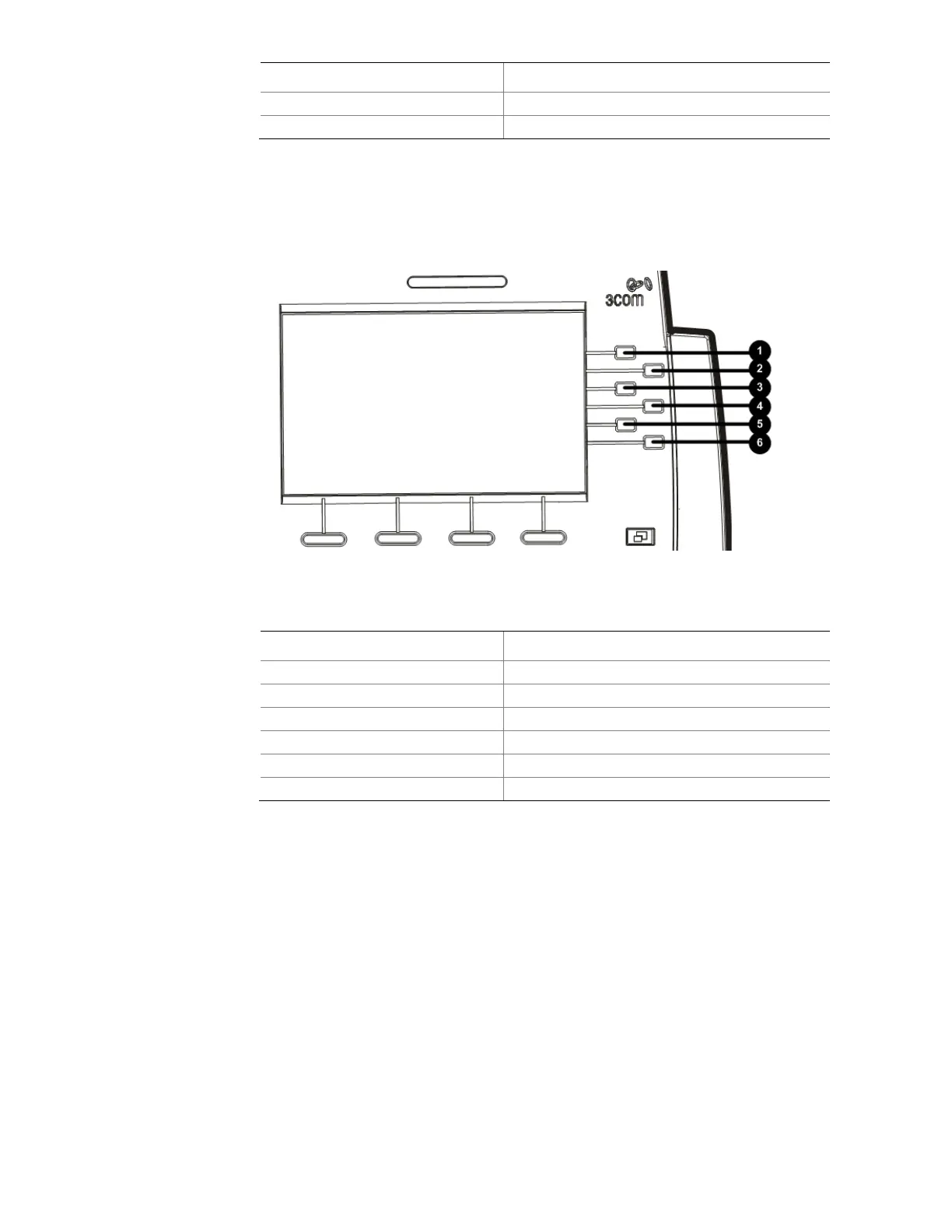
Figure 5 Access buttons on the 3502 telephone
Table 7 Access buttons on the 3502 telephone
No. Button
1 Access button 1
2 Access button 2
3 Access button 3
4 Access button 4
5 Access button 5
6 Shift button
The 3502 telephone uses three pages to display the functions of its Access buttons, and
thus allows you to configure up to 15 Access buttons. You can use the Shift button to
turn pages.



 To Next Page