14
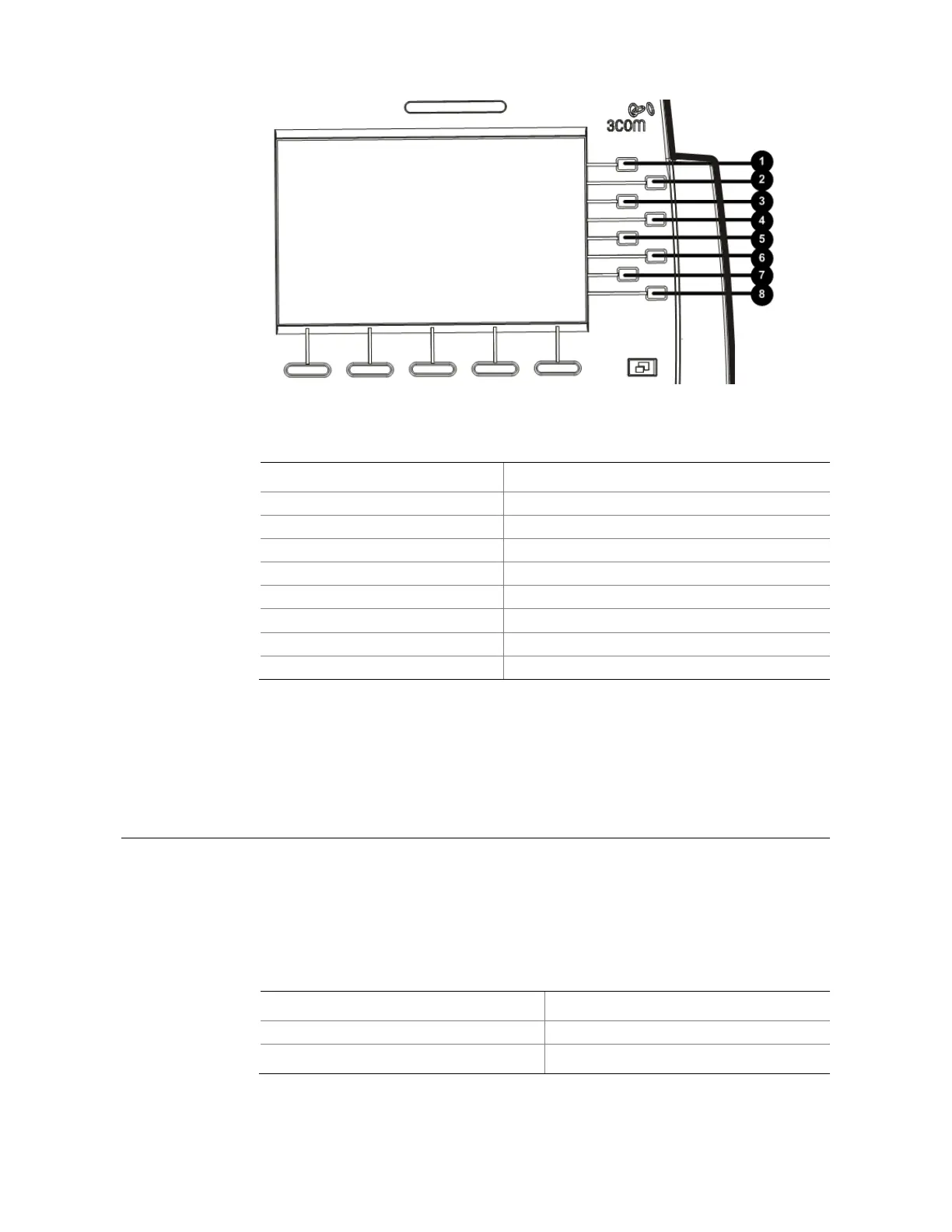
Figure 6 Access buttons on the 3503 telephone
Table 8 Access buttons on the 3503 telephone
No. Button
1 Access button 1
2 Access button 2
3 Access button 3
4 Access button 4
5 Access button 5
6 Access button 6
7 Access button 7
8 Shift button
The 3503 telephone uses three pages to display the functions of its Access buttons, and
thus allows you to configure up to 21 Access buttons. You can use the Shift button to
turn pages.
Status Lights for Access Buttons
An Access button that is set up for incoming and outgoing calls is called a System
Appearance button. The light beside each System Appearance button indicates its
status, as shown in Table 9.
Table 9 Status Lights for Access Buttons
If the light is The line is
Off Available for use
Steady on
In use



 To Next Page