86
Attaching and Adjusting the Articulating Support Bracket
The articulating support bracket is common to the following devices:
3Com 3105 Attendant Console
3Com 3102 Business Telephone
Figure 8, Figure 9, and Figure 10 show a 3102 Telephone. The instructions apply to all
telephones.
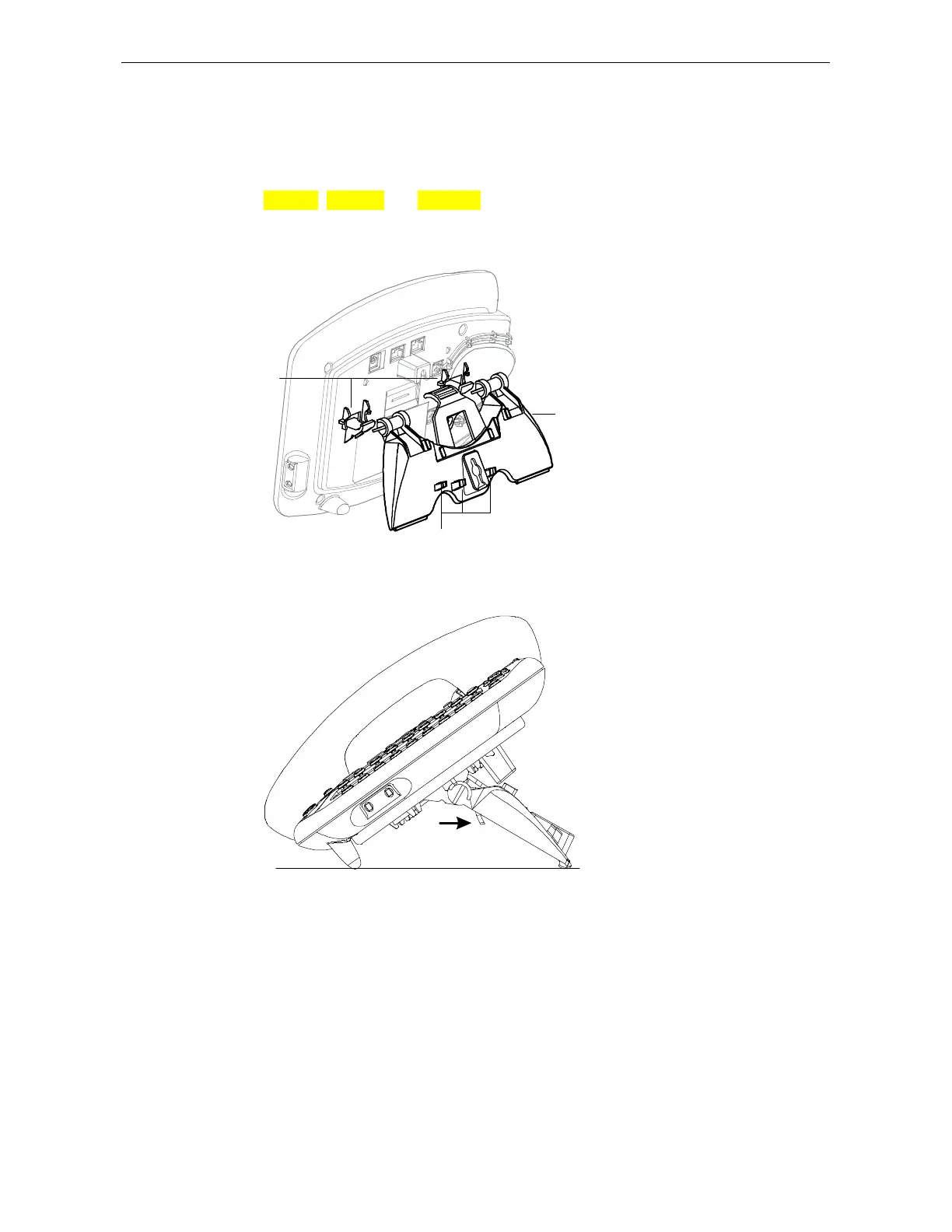
Figure 14 Attaching the Support Bracket
1
2
3
To attach the support bracket, 1,
snap the bracket into the mounting
supports 2, on the bottom of the
telephone.
After you connect the cables to the
phone, press the cables into the
cable management clamps 3, on
the stand.
Figure 15 Adjusting the Support Bracket
1
To adjust the support bracket,
press to release the lock tab 1,
rotate the bracket to the position
that you want, and then release
the lock tab.



 To Next Page