87
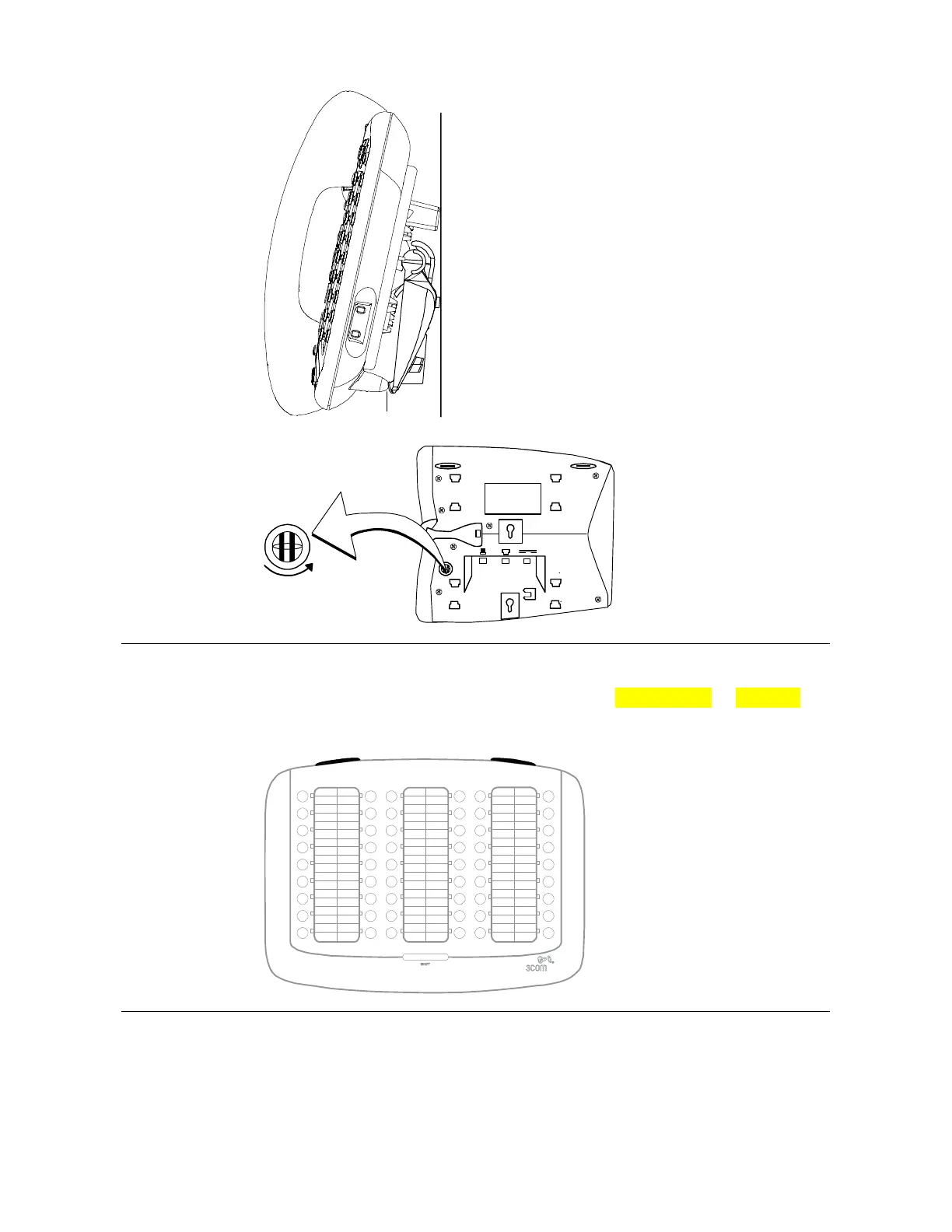
Figure 16 Wall Mounting a 3102 Telephone
1
When you mount a 3101, 3101SP, 3102, or
3103 telephone on a wall, attach the support
bracket and adjust it so that the bottom of the
support bracket rests against the bottom
supports on the telephone, 1.
Safe wall mounting requires 3/4-inch drywall
and 1.5-inch drywall screws.
Opening the 3105 Attendant Console Label Cover
For instructions on how to create and print labels, see Printing Labels on page 114.
Figure 17 3105 Attendant Console Label Cover Tabs
After you print the labels and then
cut them out, remove the plastic
cover from the Attendant Console
by pulling up on the two tabs at the
top of the Attendant Console until
the top of the cover pops off.
Moving Your Telephone
Each VCX telephones is uniquely identified by an IP address. You can move your
telephone to another location within your calling domain, connect it to any Ethernet jack
on the LAN, and still maintain all of your personalized features, speed dials, and
extension number.



 To Next Page