
 Need help?
Do you have a question about the 3D Systems Sense and is the answer not in the manual?
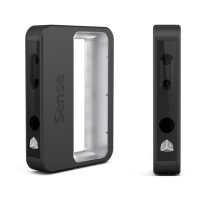
Lists the items included in the Sense 3D scanner box, including the scanner and USB cable.
Instructions on how to navigate to Cubify.com and download the Sense software for your operating system.
Follow instructions to complete the software download and installation process.
How to open the Sense application using the desktop shortcut after installation.
Explains mouse and keyboard navigation controls used during the scanning process.
Tips for achieving good scan quality, focusing on lighting, positioning, and subject clearance.
Overview of editing toolbar options, crop, erase, and solidify tools for scan modification.
Tools for enhancing scan quality (Auto Enhance, Trim) and sharing scans (Save, Upload, Print).
Guidance on optimal lighting, scanner positioning, and subject clearance for better scan results.
Tips on handling motion, scanning people, and assisting tracking for small objects.
Details on configuring scan settings like orientation, resolution, object size, and color acquisition.
Options for adjusting settings during the scan editing and enhancement process.
Settings related to units of measure and file export options for scan files.
 General
| Brand | 3D Systems |
|---|---|
| Model | Sense |
| Category | Scanner |
| Language | English |

 To Next Page
