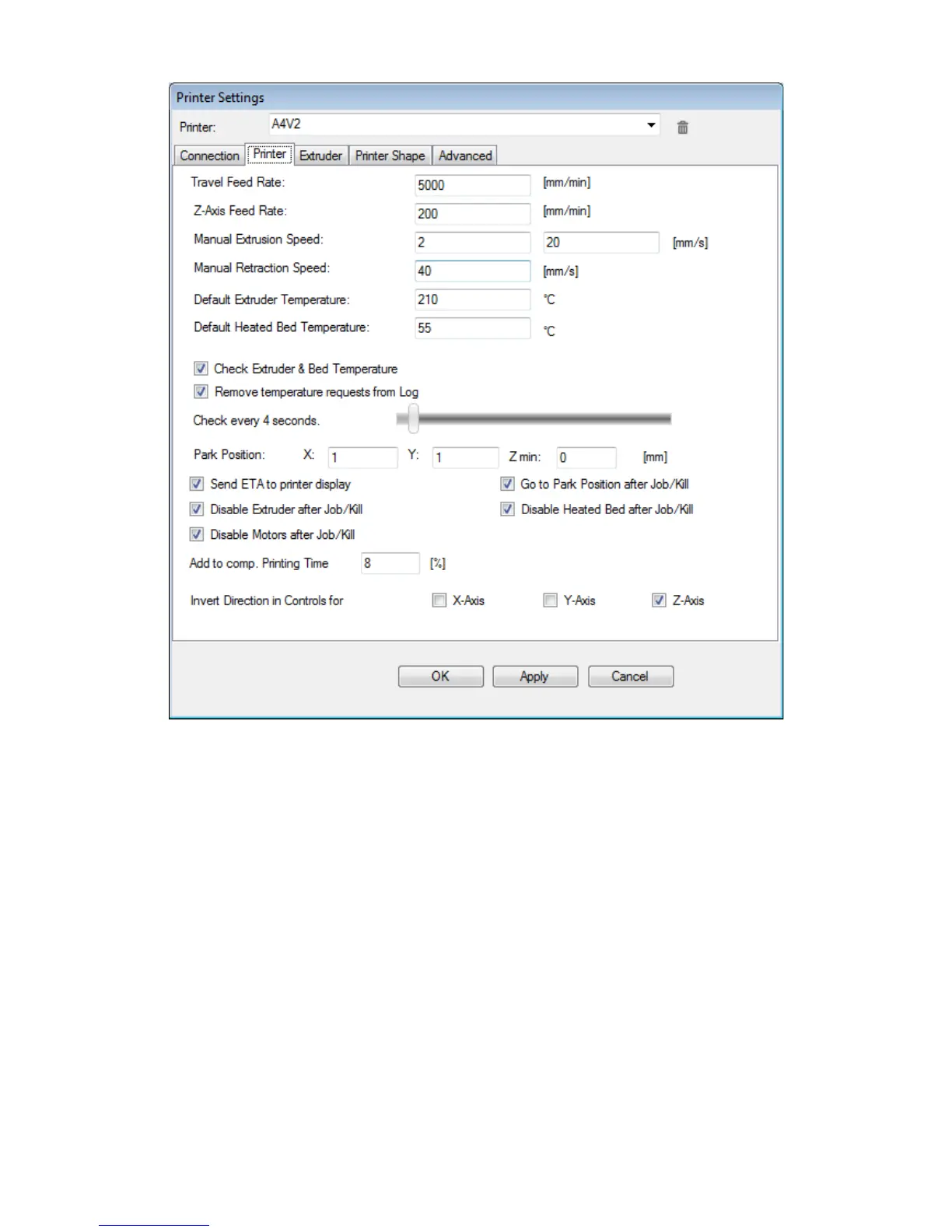
We recommend to set printer defaults as from above figure.
You may want to un-check the following options:
• Send ETA to printer: this option is sending to the printer the time remaining printing time.
It's a useful option, but makes for a slight flickering of the LCD display (when printer
updates the time left) that can be disliked by some people. You can surely disable this
option without regrets, if you want.
• Disable Extruder after Job/Kill: we recommend to leave ON this option. Otherwise, should
your print process finish Friday night and you leave you printer ON for the weekend, you
may be getting extruder jam, requiring a nozzles change on Monday (some polymers like
PLA or PVA may seriously degrade in few hours time).
• Disable heated bed after job/kill: if you disable this option, your heated bed will be
constantly ON, shortening therefore the time between different prints. Be careful, as this
option will increase your chances of burning your fingers, along with higher electricity bills.
Keeping a pair of kitchen gloves nearby will help.
15



 To Next Page