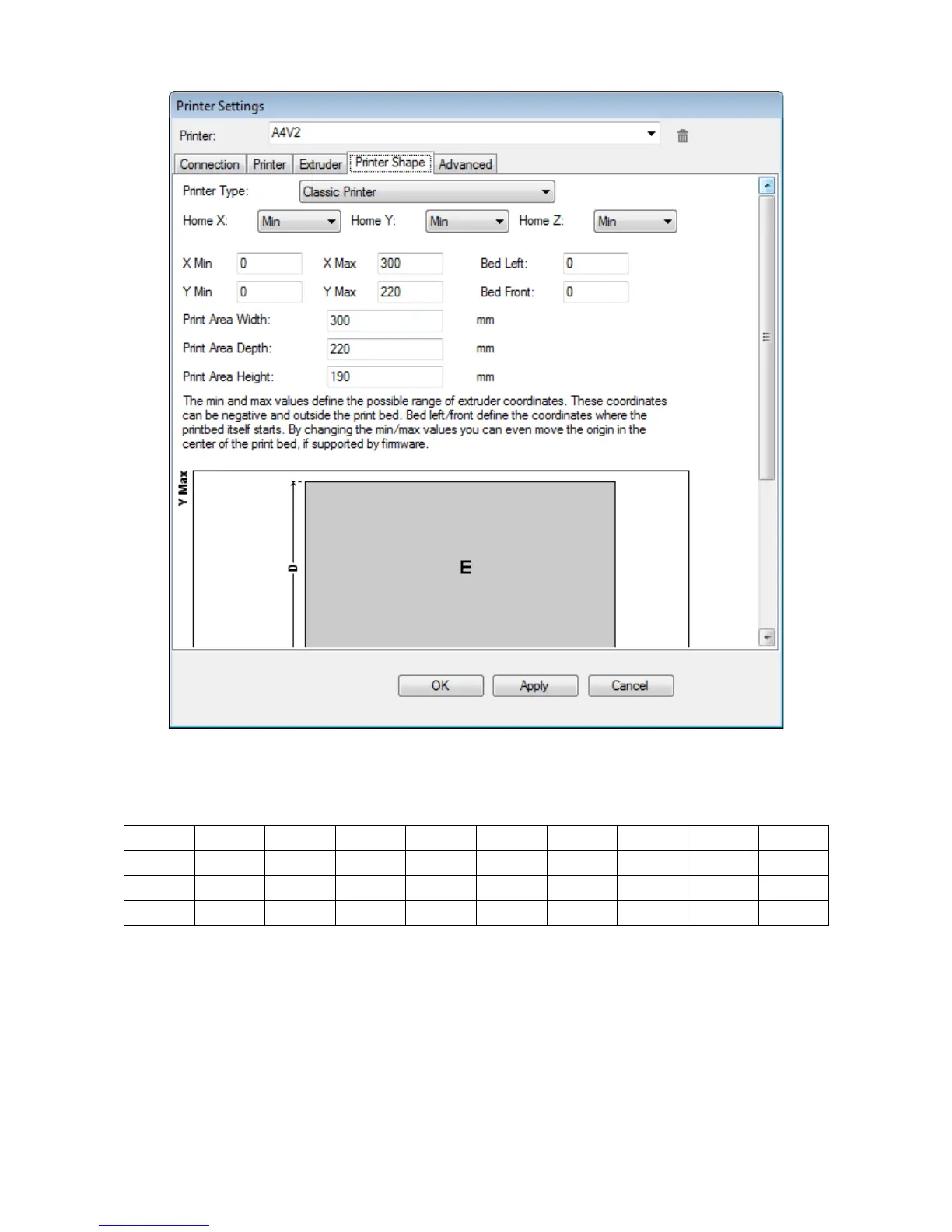
This tab will let you set you the print area dimensions, using the values as from following table:
Xmin Xmax Pds Ymin Ymax Pdd Largh. Prof. Alt.
A2 0 610 0 0 350 0 610 350 500
A4 (2 ex) 0 300 0 0 200 0 300 200 200
A4 (3 ex) 0 300 0 0 175 0 300 175 200
.
Be sure that ALL the Home X/Y/Z settings are set to MIN: failing to do so you could not be able to use your
printer!
17



 To Next Page