3.1 Pairing with ANT+ enabled displays
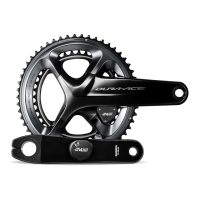
To receive power and cadence
information from PRECISION PRO, it
must first be paired to your display
unit. Pairing procedures vary between
display units, but the following generic
instructions are provided:
1. Turn on your display unit
2. Spin the crank arms four times
to wake your powermeter
3. Go to the Sensors menu on
your display unit
4. Select Add a new sensor
5. A list of available power sensors
will be shown. Select the ANT+ ID
that matches your PRECISION PRO
which is etched on the edge of the
non-drive side PRECISION pod
Quick Tip: The ANT+ ID used for pairing
is also displayed on the 4iiii App.
3
PAIRING
12
Table of Contents


 To Next Page

