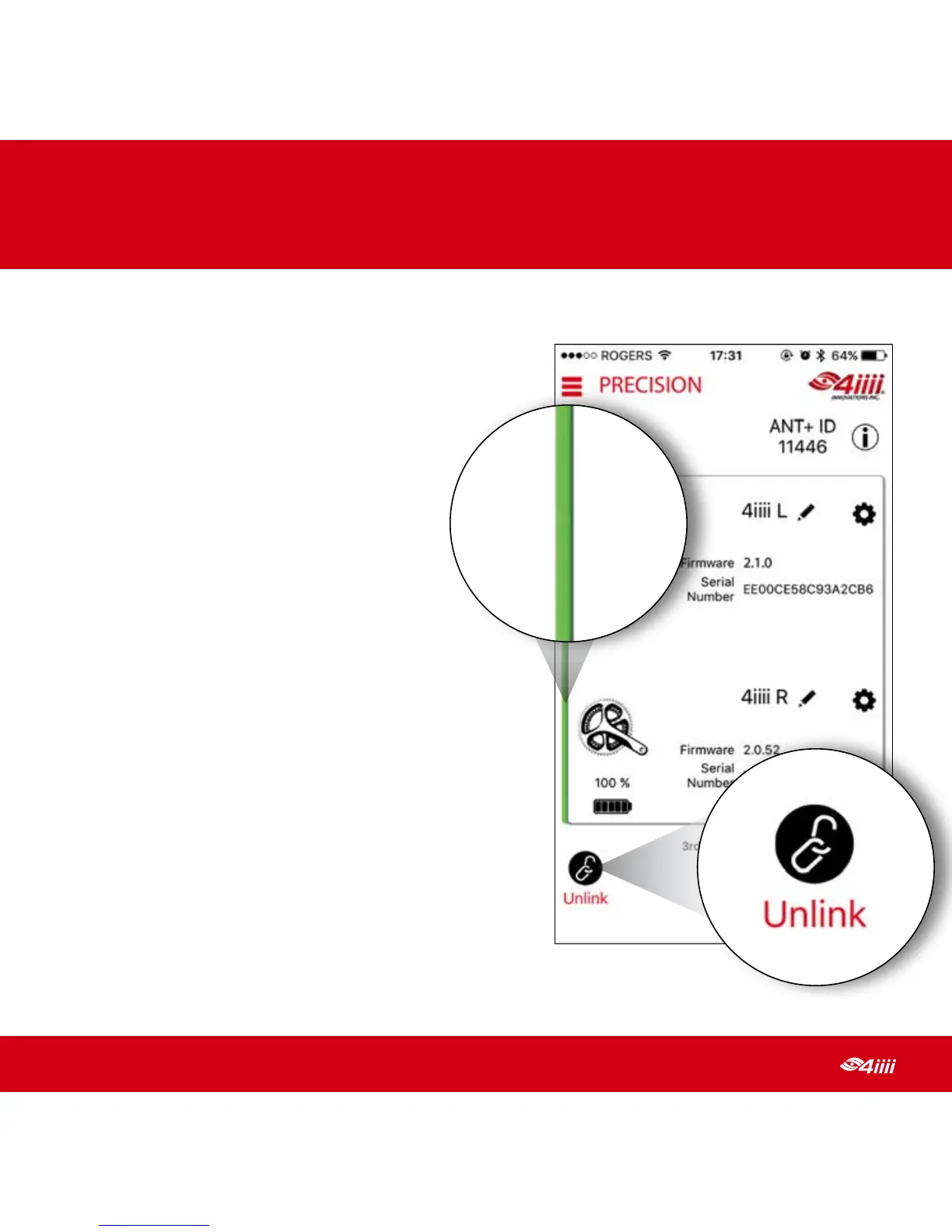
2.4.2 Unlinking your dual-sided powermeter
To unlink your dual-sided powermeter so
that it becomes two separate single-sided
powermeters:
1. Spin the crank arms four times to
wake your powermeters
2. Open the 4iiii app on your
smartphone
3. Select your powermeter
from the list
4. Once the left borders for both
sides are green, tap on the Unlink button
(located at the bottom
left of the screen)
Quick Tip: Make sure both cranks are connected
before unlinking. If only one side is unlinked,
the remaining side will continue to search for its
previously linked powermeter.
Quick Tip: If you have previously enabled the
3rd-Party Apps mode on the 4iiii App, you will
need to re-enable this feature on both sides
after unlinking.
2
GETTING STARTED
10
Table of Contents


 To Next Page