GLUCOFIX
®
TECH - 51415 - 02/20
UK
24
5.1 Reviewing past results
You can review past results stored in the memory. Your meter stores up to 730 test results with
dates, times and markers.
WARNING
Please make sure that the time and date are correct before the rst use, and adjust them if
needed (§6.1). If the time and date settings are not correct the meter will memorize the test results
in the wrong order.
a.
Make sure the meter is o (to turn the meter o hold for 3 seconds until the screen switches o).
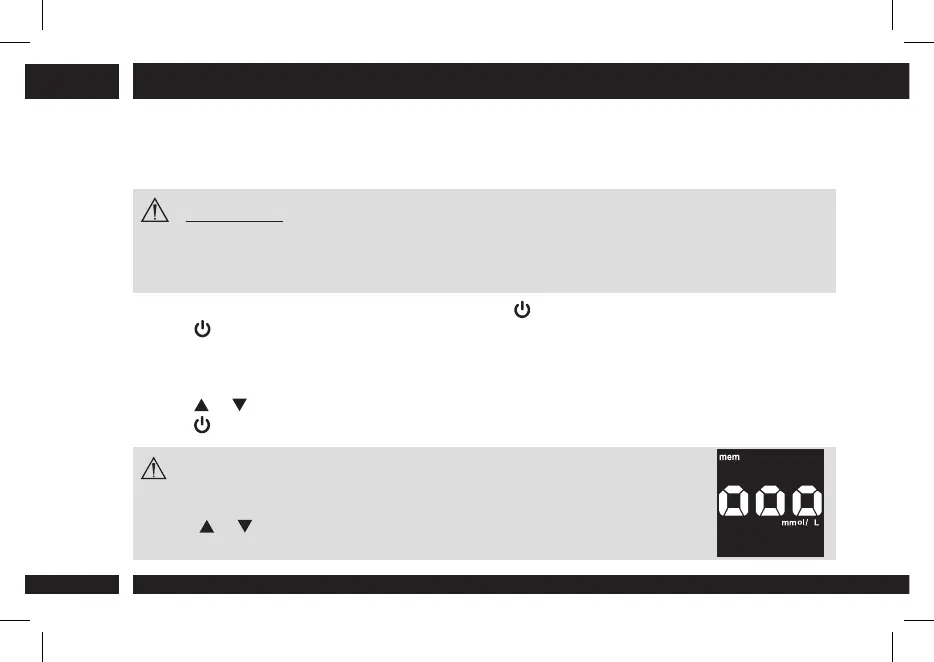
b. Press for 2 seconds to turn the meter on and enter the memory recall mode (the “mem” icon
appears on the screen).
c. The most recent test result appears on the screen. The screen also shows the date and time of
the test and the corresponding markers.
d. Press
or to scroll through all the stored data.
e. Press
for 3 seconds to switch the meter o.
NOTE
● If there are no results in the memory, the screen displays “ooo“.
● At the end of reviewing the individual test results, the screen displays “ooo“.
● Keep or pressed to speed up the browsing through the results.
5. MANAGING YOUR TEST RESULTS


 To Next Page