GLUCOFIX
®
TECH - 51415 - 02/20
UK
26
NOTE
● GlucoLog
®
software and apps, data cable, and Bluetooth dongles are supplied separately. See
relevant user manuals for instructions on how to download data.
5.3.1 NFC Transmission
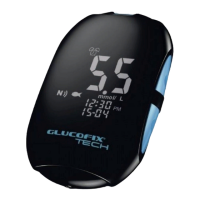
For data transmission by means of NFC the NFC function must be enabled on the GLUCOFIX
®
TECH meter (§6.5) and an NFC equipped device (such as a Smartphone) with GlucoLog
®
apps.
a. Activate the NFC transmission on the GlucoLog
®
app of the NFC equipped device.
b. Bring the GLUCOFIX
®
TECH NFC antenna close (< 1 cm) to the antenna in the NFC equipped
device.
NOTE
● Data will be transmitted even when the meter is switched o or in memory recall mode.
c. Data transmission will start automatically (the GLUCOFIX
®
TECH meter will turn on and the
blinking icon will be displayed on the screen).
d. After downloading the data, the meter switches o automatically.
WARNING
● Data transmission via NFC may decrease battery life.
5. MANAGING YOUR TEST RESULTS


 To Next Page