11
3-2. To Start Counting
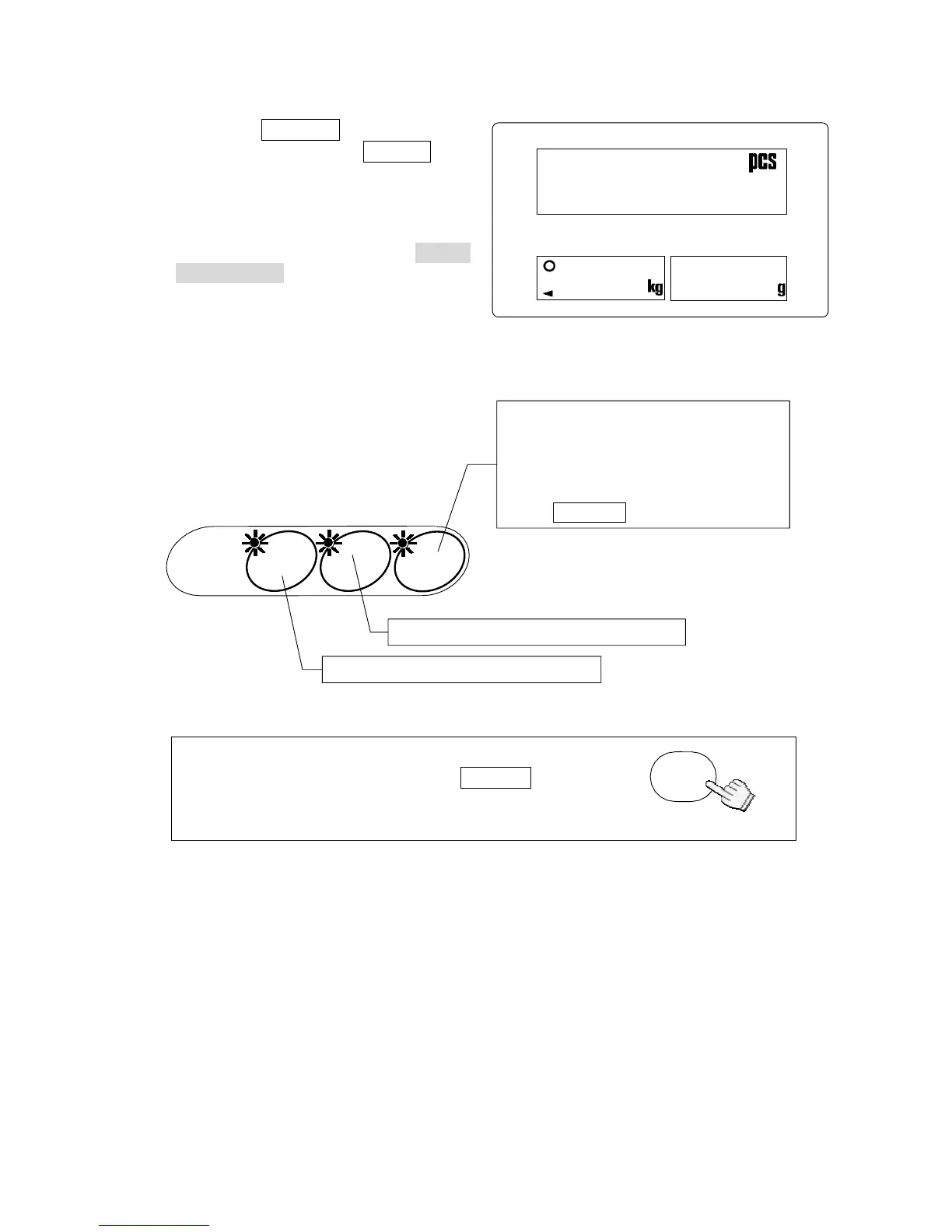
1. Press the ON/OFF key to turn the
scale ON. Or press the RESET
key to initialize any previous
operations.
2. The three LED’s on the UNIT
WEIGHT BY keys will blink. This is
to prompt you to select a method for
entering a unit weight for operation.
3. Select one of the ways to enter or recall the unit weight (the weight of one item of
what you are counting), and see the section noted for more instructions.
You can return to this point at any time during
operation by pressing the RESET key.
(This doesn’t clear the entered tare weight,
M+ memory, AWA settings and comparator limits.)
L
RESET
888.8.8.880
COUN
BOARD
ID.
UNIT
WEIGHT BY
By stored lD number: Section“3-5”
By using the l0-key pad: Section“3-4”
By using a sample: Section “3-3”
10 sample size
5, 25, 50 or 100 sample size
Desired sample size
Desired sample size not using
the SAMPLE key



 To Next Page