46
13-5. Connecting the AD-8121 Printer / MODE 3
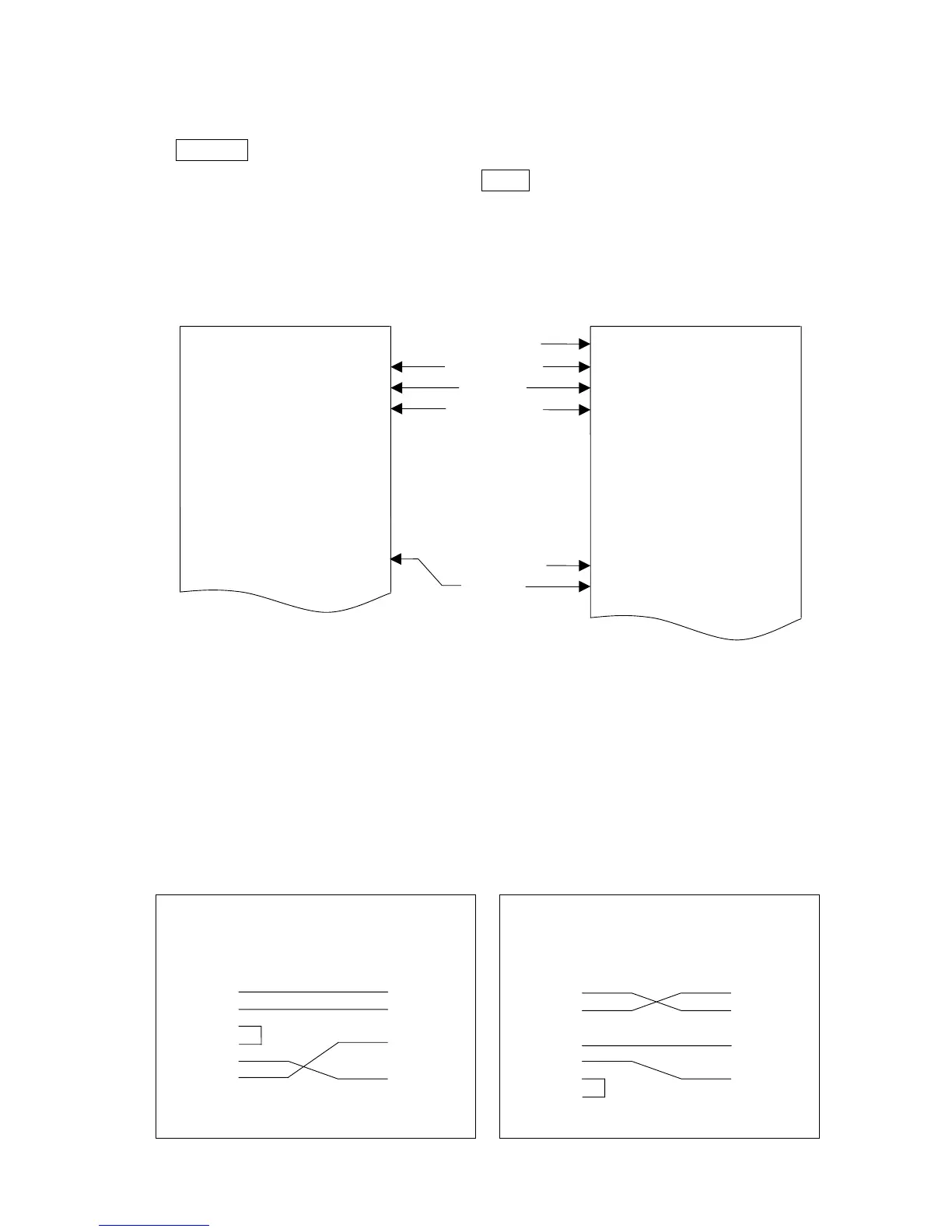
When using MODE 3 of the AD-8121 printer, printouts are obtained using the
PRINT key (f-06-01 = 0), or auto-print mode A/B (f-06-01 =2 or 3).
The total data (accumulated by the M+ key) will be printed along with the
number of additions to M+ memory.
The AD-8121 / MODE 3 does not have statistical functions.
AD-8121 Printout Sample
MODE 1 MODE 3
13-6. Command Mode
In the command mode, the scale is controlled by commands that come from an
external device, computer etc.
Do not set f-06-01="1" (stream mode) to use with the command mode. if you don’t
want to use command mode together with key mode or auto-print mode, set f-06-
01="4" (command mode only).
Use an optional cable listed below to connect with a computer.
AX-KO577A-200 RS-232C cable, for D-sub 25 pin, length 2m
AX-KO1786-200 RS-232C cable, for D-sub 9 pin, length 2m
(These cables have a DIN 7pin connector, but it can connect with OP-03.)
ID. Number
pcs (Count)
Weight
Unit Weight
No. of Accum.
TOTAL
QT +1241 PC
WT +3.155 kg
UW +2.542305 g
*
QT +1272 PC
WT +3.233 kg
UW +2.542305 g
*
*
AQ +2513 PC
ID 000123
QT +2168 PC
ST +3.104 kg
UW +1.431734 g
ID 000123
QT +1989 PC
ST +2.848 kg
UW +1.431734 g
N 2
TOTAL
+4157 PC



 To Next Page