75
10-3 Connection to a personal computer
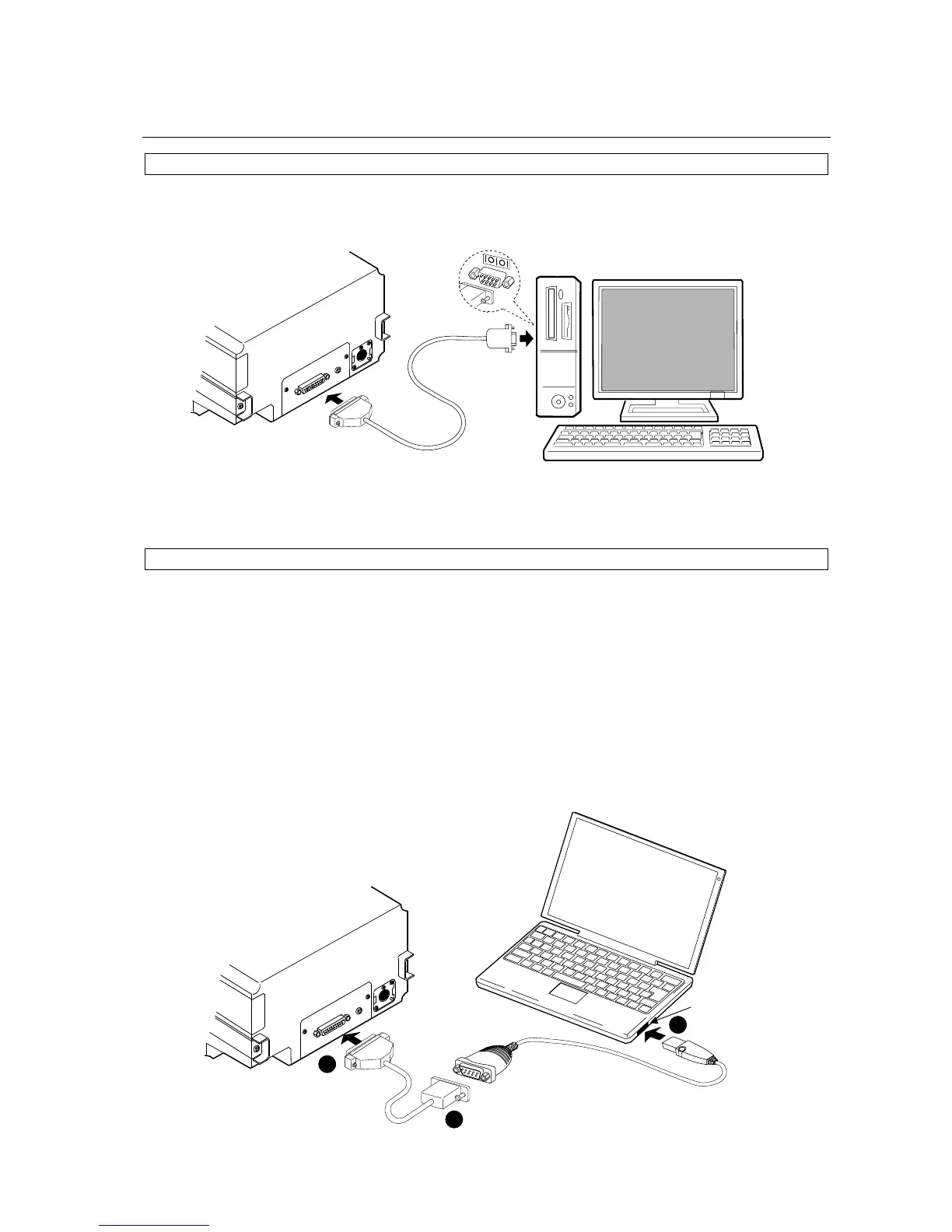
In a case where the personal computer has a COM port
The SV-A / SV-H series can connect to a personal computer using the RS-232C cable.
In a case where the personal computer does not have a COM port (Example: notebook type etc)
By using the standard Serial-USB converter provided, a personal computer can increase the number
of COM ports available. Therefore, the SV-A / SV-H series can connect to a personal computer using
the RS-232C cable.
Setting up
1 Connect the Serial-USB converter to the personal computer. Install the driver of the Serial-USB
converter in the personal computer (Refer to the instruction manual of the Serial-USB converter.).
2 Connect the Serial-USB converter to the SV-A / SV-H series by using the RS-232C cable.
Personal computer
Display
rear side
RS-232C cable
RS-232C
1
2
2
RS-232C cable
Display
rear side
Personal computer
Serial-USB converter
USB


 To Next Page