25
10.2. Display time
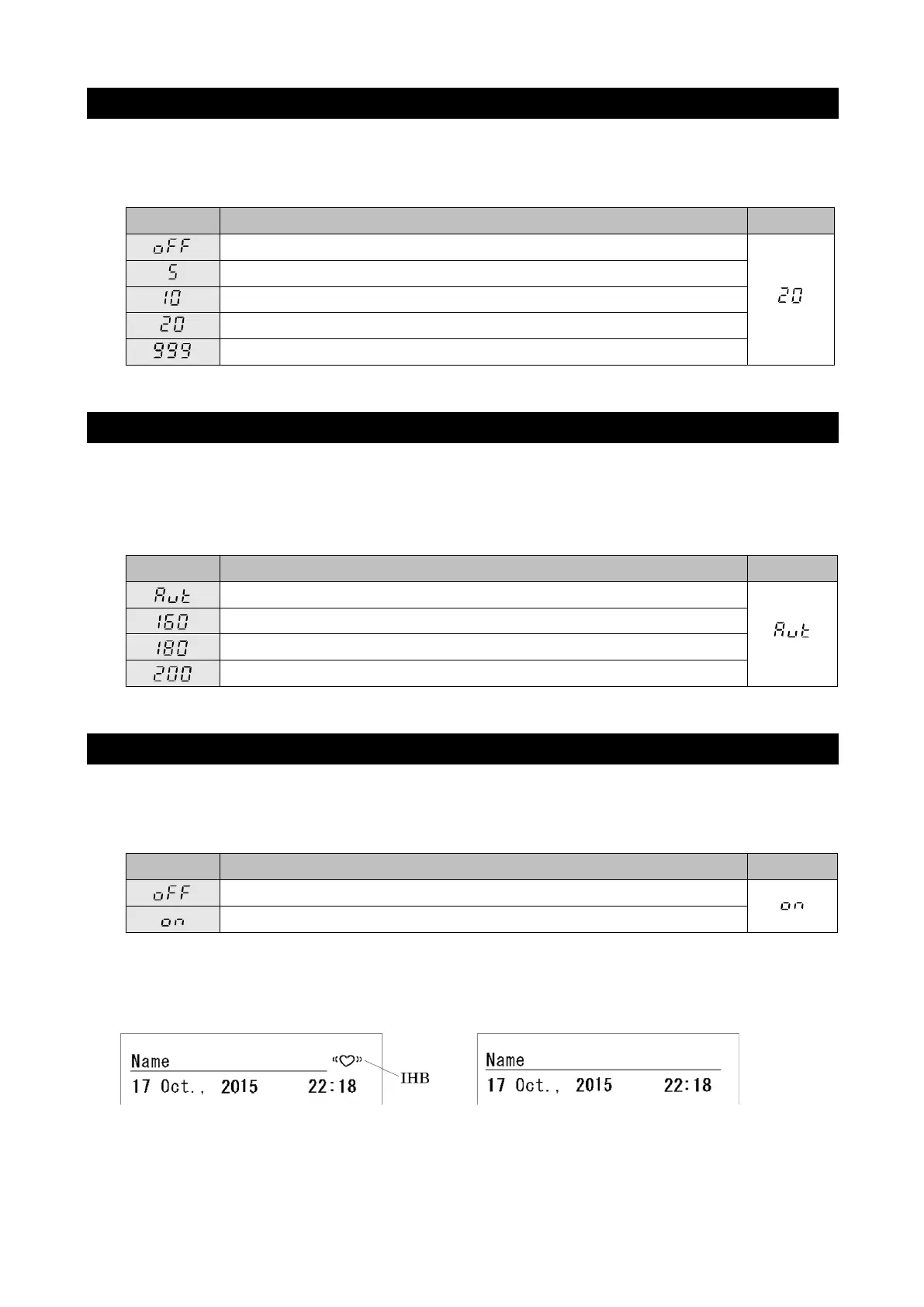
The display time for measurement results can be set using the function F02.
Use the ▲ button to change the setting. This setting appears in the diastolic display
section.
No display of results (All values are displayed as "---")
10.3. Applied pressure
The applied pressure can be set using the function F03.
Use the ▲ button to change the setting. This setting appears in the diastolic display
section. (If automatic applied pressure (Aut) is set, pulsation is observed while
pressure is applied and the applied pressure value is automatically determined.)
Automatic applied pressure
10.4. IHB
The IHB setting can be set using the function F05.
Use the ▲ button to change the setting. This setting appears in the diastolic display
section.
When IHB is on:
Printing example
When IHB is detected When IHB is not detected
For details on IHB, see "3. ABBREVIATIONS AND SYMBOLS".



 To Next Page