18
9. PRINTER
9.1. Installing the printer paper
■
Do not pull the printer paper during printing.
It may damage the printer head.
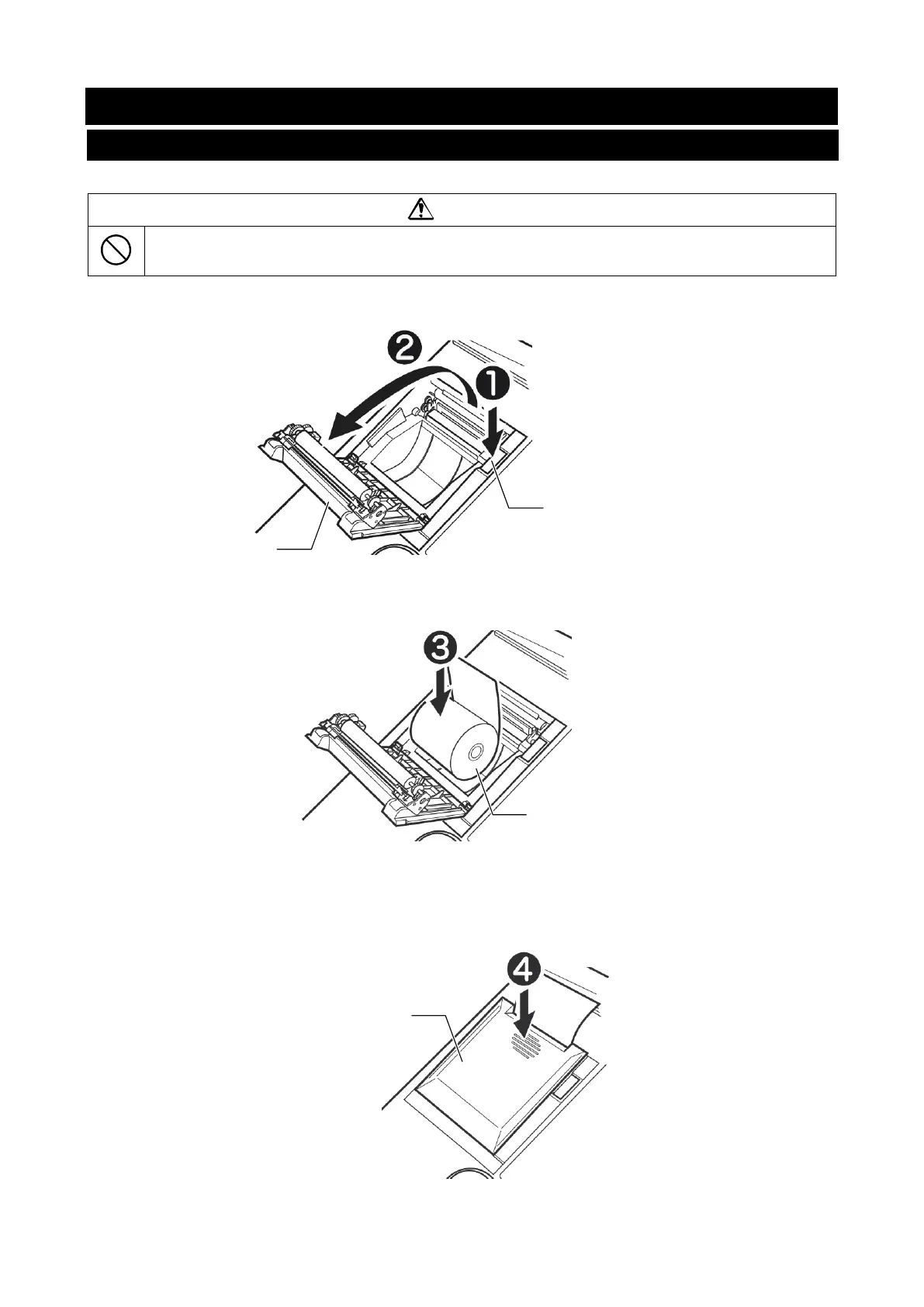
1. Press the Open printer cover button to open the printer cover.
Open printer cover button
Printer cover
2. Install the printer paper in the way shown in the illustration below.
3. With the end of the paper at the top and protruding out, secure the printer paper by
closing the printer cover until you hear a click. If the cover is not completely closed, a
paper jam may occur.


 To Next Page