30
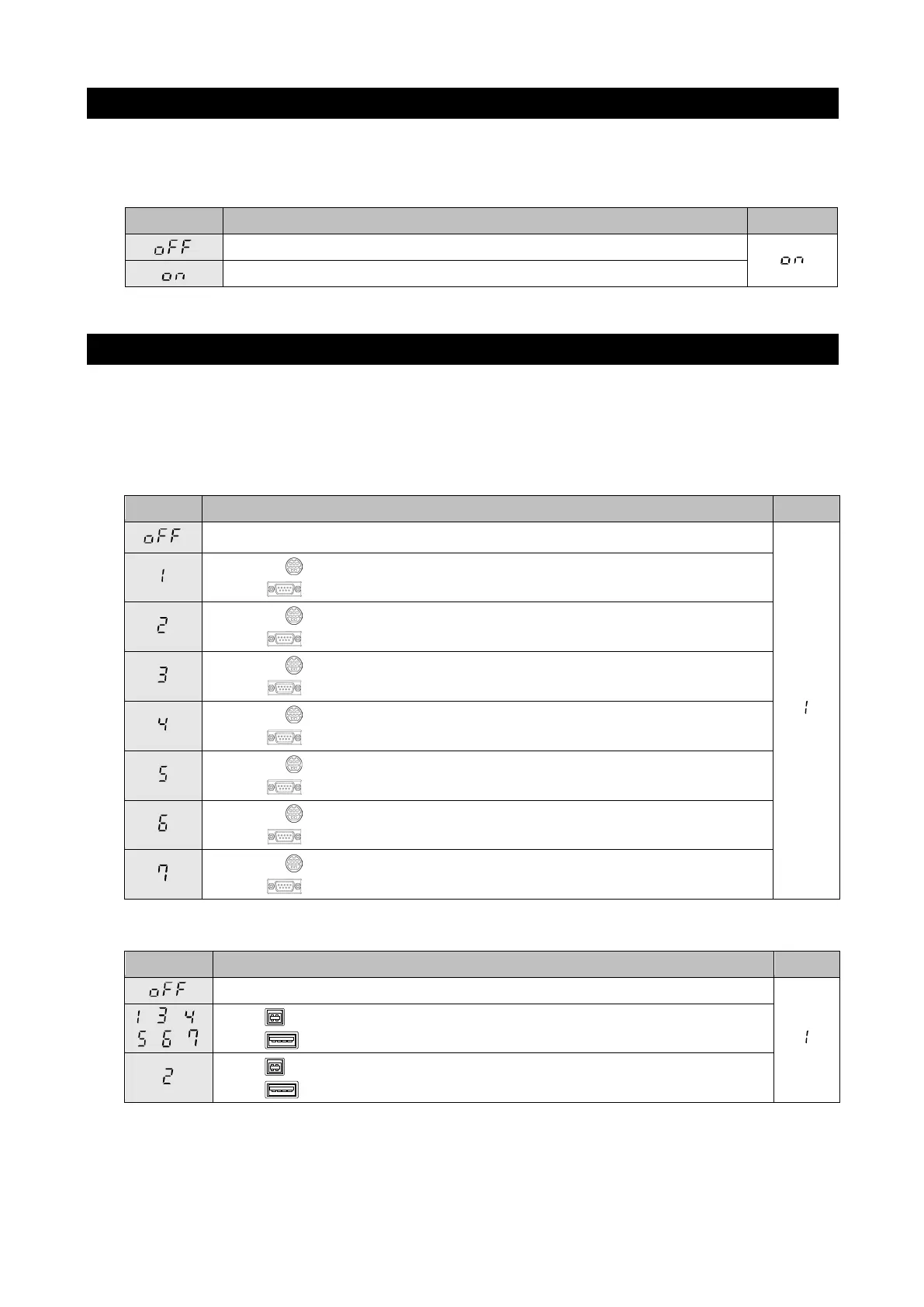
10.11. Beep sound
The key operation sound when a measurement starts/ends can be set to ON/OFF
using the function F18.
Use the ▲ button to change the setting. This setting appears in the diastolic display section.
10.12. External input/output protocol
The protocol settings for connections can be set using the function F20.
Use the ▲ button to change the setting. This setting appears in the diastolic display
section.
External input/output unit <TM-2657-01>
External input/output unit (option) protocol
No connection
Mini-DIN: Blood pressure result input/output (STD/RI/RB/BP/RA)
D-Sub: Blood pressure result output (STD/RI/RB/BP/RA)
Mini-DIN: A&D height and weight scale
D-Sub: Blood pressure result input/output (STD/RI/RB/BP/RA)
Mini-DIN: Blood pressure result input/output (STD/RI/RB/BP/RA)
D-Sub: ID reader
Mini-DIN: Blood pressure result input/output (STD/RI/RB/BP/RA)
D-Sub: Ux compatibility
Mini-DIN: Blood pressure result input/output (STD/RI/RB/BP/RA)
D-Sub: RVX compatibility
Mini-DIN: Blood pressure result input/output (STD/RI/RB/BP/RA)
Mini-DIN: Blood pressure result input/output (STD/RI/RB/BP/RA)
D-Sub: RVY compatibility
External input/output unit <TM-2657-02>
External input/output unit (option) protocol
USB: Blood pressure result input/output (STD/RI/RB/BP/RA)
USB: ID Reader
USB: Blood pressure result input/output (STD/RI/RB/BP/RA)
USB: ID Reader



 To Next Page