11
Handling
Do not touch the playback side of discs.
Hold discs by the edges to avoid leaving ngerprints on the surface.
Any dust, ngerprints or scratches may cause a malfunction.
Never attach a label or sticky tape to the disc.
Storage
Put disc back in their case after playing them. Never expose disc to direct
sunlight or heat sources. Never leave discs inside a car parked in full
sunlight.
Cleaning
Use a clean soft lint-free cloth to clean the discs, working from the centre
outwards in a straight line. Do not use solvents such as petrol, thinners,
commercially available cleaners or antistatic sprays for vinyl records.
Bluetooth Operation
You can listen to music from a Bluetooth-enabled device via this player.
Note:
- The operational range between this player and a Bluetooth device is approximately 8 meters (without
any object between the Bluetooth device and the unit).
- Before you connect a Bluetooth device to this unit, ensure you know the device’s capabilities.
- Compatibility with all Bluetooth devices is not guaranteed.
- Any obstacle between this unit and a Bluetooth device can reduce the operational range.
- If the signal strength is weak, your Bluetooth receiver may disconnect, but it will re-enter pairing
mode automatically.
Pair Bluetooth-enabled Devices
1 Press the SOURCE button on the unit or the BT button on the remote control to select BT (Bluetooth)
mode. “NO BT” will show on the display if the unit is not paired to any Bluetooth device.
2 Activate your Bluetooth device and select the search mode. “A&S Hurricane-S” will appear on your
Bluetooth device.
- If you cannot nd the unit, press the "PAIR" button on the remote control to be searchable. The display
will show “PAIR” and you will hear "Pairing" from the unit.
3 Select “A&S Hurricane-S” in the pairing list. On successful pairing, you will hear "Paired" from the
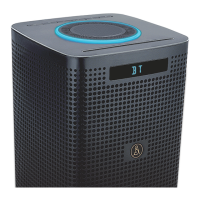
unit, and the display panel shows “BT”.
4 Play music from the connected device.
To disconnect the Bluetooth function, you can:
- Switch to another function on the unit.
- Disable the function from your Bluetooth device. The Bluetooth device will be disconnected from the
soundbar after the “Disconnected” voice prompt.
- Press the PAIR button on the remote control.
Tips:
- Enter “0000” for the password if necessary.
- If no other Bluetooth device pairs with this player within two minutes, the player will recover its
previous connection.
- The player will also be disconnected when your device is moved beyond the operational range.


 To Next Page