12
- If you want to reconnect your device to this player, place it within the operational range.
- If the device is moved beyond the operational range, when it is brought back, please check if the
device is still connected to the player.
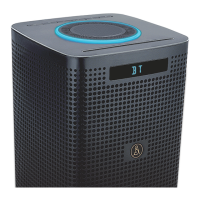
- If they are connected, display panel shows "B T ".
- If the connection is lost, display panel shows "NO BT". Follow the instruction above to pair your
device to the player again.
Listen to Music from Bluetooth Device
- If the connected Bluetooth device supports Advanced Audio Distribution Prole (A2DP), you can
listen to the music stored on the device through the player.
- If the device also supports Audio Video Remote Control Prole (AVRCP), you can use the player’s
remote control to play music stored on the device.
1 Pair your device with the player.
2 Play music via your device (if it supports A2DP).
3 Use supplied remote control to control play (if it supports AVRCP).
- To pause/resume play, press the
B
/
F
button.
- To skip to a track, press the I
/
I
buttons on the unit or on the remote control.
FM Operation
Auto Scan and Save Preset Station
• Ensure that the unit is connect the supplied FM wire antenna to the FM Antenna socket on the unit.
1 Press the SOURCE button on the unit or the FM button on the remote control to select FM mode.
2 Press and hold the PROG button on the remote control or on the unit to activate automatic
programming. All available stations are programmed in the order of waveband reception strength.
- The rst programmed radio station is played automatically.
• Tune to a Preset Radio Station
- Press the ALBUM/PRESET
,
buttons to select a preset number that you want.
Tuning in a Station
• Tune in radio stations automatically
- Press and hold the
D
,
C
buttons, the frequency changes down or up automatically until a station is
found.
- The search may not stop at a station with a very weak signal.
• Tune in radio stations manually
- Press the
D
,
C
buttons repeatedly until you nd the station you want.
- If reception is still poor, try to adjust the position of the aerial or try to move the radio to another
location.
Presetting Stations Manually
You can preset up to 30 FM stations.
1 Tune in the desired station, then press the PROG button.
2 Press the
/
or number (0~9) buttons to select the preset number.
3 Press the PROG button to store the station.
4 Repeat above steps 1 to 3 for each station you want to store in memory with a preset number.


 To Next Page