Brightness Menu
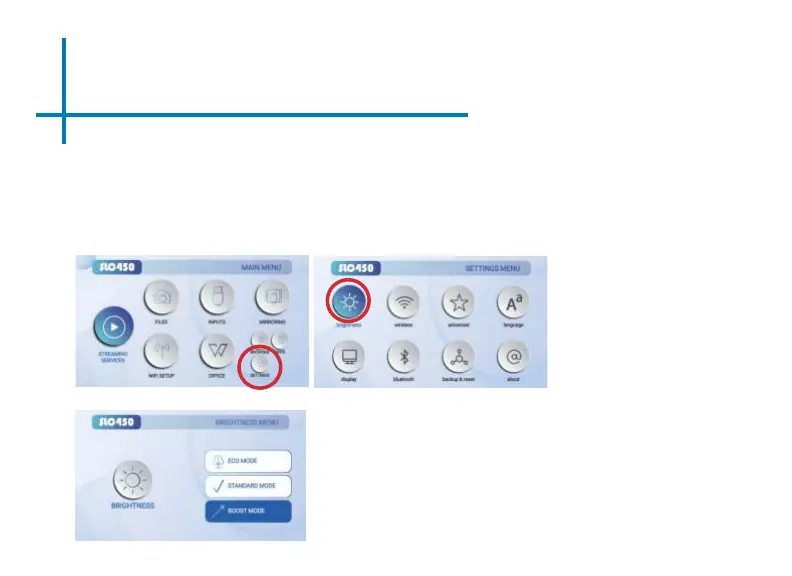
To change the brightness on your SLC450:
• Select the “Settings” icon (Fig. 3.1) in the Main Menu then choose
“Brightness” (Fig. 3.2)
• Select the brightness you wish (Fig. 3.3):
Eco Mode/ Standard Mode/ Boost Mode
12
Fig. 3.2
Fig. 3.3
“Boost mode” should only be used in low temperature, low
altitude environments with adequate clearance of exhaust/
intake vents. A tripod is highly recommended. DO NOT
block vents while operating in Boost mode.
Fig. 3.1















 To Next Page