22
Browser Menu
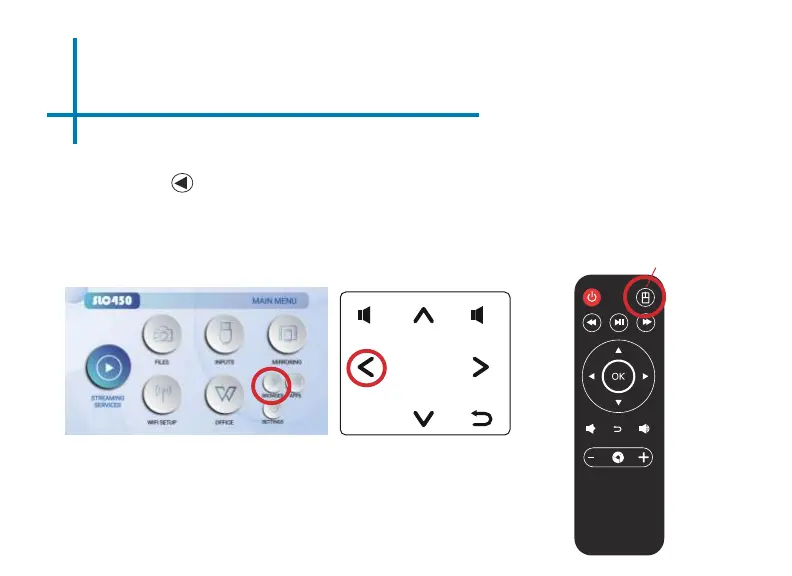
How to open an internet browser in the SLC450
In the Main Menu, select the “Browser” icon. Once the Chrome browser opens,
press the button on the navigation pad or the remote control to search or type
web address, You also use the “Simulate Mouse” on the remote control to
switch between mouse mode.
Simulate Mouse
OK
menu
Simulate Mouse















 To Next Page