EasyManua.ls Logo

ABB ACS800 - User Manual

ABB ACS800
162 pages
Print Icon
To Next Page IconTo Next Page
Loading...
ACS800
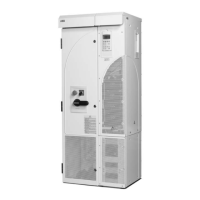
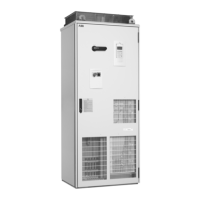
Cabinet Installation
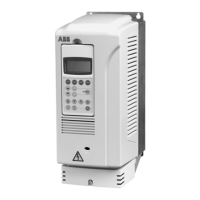
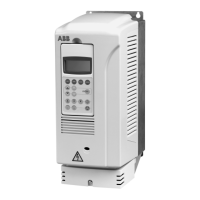
ACS800-04 and ACS800-04M Drive Modules (45 to 560 kW)
ACS800-U4 Drive Modules (60 to 600 HP)

Table of Contents

Other manuals for ABB ACS800

Question and Answer IconNeed help?

Do you have a question about the ABB ACS800 and is the answer not in the manual?

Summary

ACS800 Drive Series Overview

Cabinet Installation Guide

Provides instructions for installing the drive module into a cabinet.

ACS800 Single Drive Manuals

Manual Categories

Lists the different types of manuals available for ACS800 drives.

About This Manual

Target Audience and Safety

Defines the intended users and critical safety precautions for the manual.

Planning Cabinet Installation

Cabinet Design and Layout

Guidance on cabinet construction, device placement, and clearances.

Grounding and Busbar Connections

Details on grounding structures and busbar material and joints.

Cabinet Cooling Requirements

Free Space for Cooling

Specifies required space around the drive module for efficient cooling.

Mechanical Installation: Pre-assembled Units (ACS800-04;U4)

Installation Procedure Steps

Step-by-step instructions for installing pre-assembled drive units.

Mechanical Installation: Non-pre-assembled Units (ACS800-04 M)

Reading the Assembly Instructions

Guidance on how to follow the assembly instructions for non-pre-assembled units.

Installation Checking Procedures

Visual Checks by Area

Checklists for visual inspection of cabinet construction and component installation.

About This Manual

Safety Instructions and Related Manuals

Highlights critical safety instructions and lists related documentation.

Installation, Commissioning, and Operating Flowchart

ACS800-04;U4 Drive Module Description

ACS800-04 M Drive Module Configurations

Type Designation Label Details

Type Code Explanation

Main Circuit and Control Interfaces

Drive Control Unit (RDCU) Connections and Operation

Planning Cabinet Installation

Cabinet Construction and Device Layout

Covers cabinet construction requirements and device disposition.

Cabinet Layout Examples: Door Closed

Cabinet Layout Examples: Door Open

Grounding and Busbar Installation Details

Cabinet Cooling Considerations

Cabinet Cooling Data

Preventing Hot Air Recirculation

Airflow Management Techniques

Methods to prevent hot air buildup inside and outside the cabinet.

Required Free Space for Cooling

Space Requirements: Long Side Busbars (+H354)

Space Requirements: Short Side Busbars (+H360)

Air Inlet Grating Location Details

Specifies air inlet grating placement based on space availability.

Non-Vertical Drive Module Installation

Frame Size R7: Side Mounting Procedures

Instructions for mounting frame size R7 modules on their side.

EMC Requirements for Cabinets

Grounding of Cable Shields for EMC Compliance

Control Panel (CDP312 R) Installation

Direct Cabinet Door Mounting Method

Details on fastening the control panel directly to the cabinet door.

Mechanical Installation: Pre-assembled Units (ACS800-04;U4)

Moving and Unpacking the Unit

Instructions for safely moving and unpacking the drive unit.

Delivery Check for Pre-assembled Units

Required Tools for Pre-assembled Unit Installation

Installation Procedure: Pre-assembled Units

Fastening Module to Cabinet and Pedestal

Steps to secure the drive module to the cabinet and pedestal.

Connecting Terminals to Busbars

Procedure for connecting output cable terminals to busbars.

Output Busbar Connections: Frame Size R7 Details

Output Busbar Connections: Frame Size R8 Details

Mechanical Installation: Non-pre-assembled Units (ACS800-04 M)

Unit Configurations and Assembly Guide

Guides for assembling different unit configurations like bottom exit or busbars.

Tools and Tightening Torques: Non-pre-assembled Units

Moving and Unpacking: Non-pre-assembled Units

Package Contents: Non-pre-assembled Units

Frame Size R7: Bottom Exit Installation (+H352)

Delivery Check for Bottom Exit Units

Ensures unit integrity before installation of bottom exit configurations.

Assembling Procedure: Bottom Exit Units (+H352)

Spacer Installation and Shroud Attachment (+B060)

Units with Pedestal & Long Side Busbars (+H354)

Item Packages for Long Side Busbars

Lists contents of item packages for units with long side busbars.

Assembling Procedure: Long Side Busbars (+H354)

Working Order for Pedestal Preparation

Steps for preparing the pedestal for busbar assembly.

Connecting DC Busbars to Pedestal (+H356;+H363)

Pedestal Busbar Side Selection

Swapping Pedestal Busbars Procedure

Instructions for changing the side of pedestal busbar connections.

Fastening Pedestal to Cabinet Base

Outside Bracket Fastening Methods

Methods for clamping the pedestal to the cabinet base using brackets.

Fastening Drive Module to Cabinet Frame

Wall Mounting Drive Module Procedures

Wall Mounting Requirements and Protection

Specifies requirements for wall mounting and protection measures.

Securing Unit Against Overturning During Mounting

Short Side Busbar Mounting: Frame Sizes R7;R8

Long Side Busbar Mounting: Frame Sizes R7;R8

Output Busbar and PE Terminal Connection Steps

Frame Size R7 Output Busbar Connections Details

Frame Size R8 Output Busbar Connections Details

Fastening Drive Module to Pedestal

Shroud Installation for Frame Size R8

Top Entry Busbar Shroud Installation

Instructions for installing the top entry busbar shroud.

Vertical Busbar Shroud Installation

Instructions for installing the vertical busbar shroud.

Units with Pedestal & Short Side Busbars (+H360)

Item Packages for Short Side Busbars

Lists contents of item packages for units with short side busbars.

Assembling Procedure: Short Side Busbars (+H360)

Working Order for Adapter Preparation

Steps for preparing the adapter for short side busbar assembly.

Swapping Pedestal Busbars to Left Side Procedure

Connecting DC Busbars to Pedestal (+H360;+H356)

Preparing the Adapter (+H360;+H356)

Fastening Adapter to Drive Module

Fastening Drive Module to Pedestal via Adapter

Connecting Output Busbars: Short Side Module

Procedure for Frame Size R7

Step-by-step guide for connecting output busbars for frame size R7.

Procedure for Frame Size R8 Output Busbars

Checking the Installation Process

Visual Inspection and Cabinet Checks

Visual checks for cabinet construction and component installation.

Instrumentation, Busbar, and Cable Checks

Checks for instrumentation, busbars, cabling, clearances, and creepage distances.

Busbar and Wiring Inspection Criteria

Clearances, Creepage Distances, and Grounding Checks

Labels, Switches, Fuses, and Doors Inspection

Dimensional Drawings: Frame Size R7

Dimensional Drawings: Frame Size R8

Wall Mounting Spacers Dimensions

Frame Size R7 Bottom Exit Kit Dimensions

Frame Size R7 Shroud Dimensions (+B060)

Control Panel Holder RPMP-21 (+J413) Dimensions

Drive Control Unit (RDCU-02) Dimensions

Dimensional Drawings (USA)

Inches Dimensions: Frame Size R7 without Pedestal

Inches Dimensions: Frame Size R8 without Pedestal

Circuit Diagrams

Prevention of Unexpected Start (+Q950) Diagram

Shows an example circuit diagram for the Prevention of Unexpected Start function.

Assembly Drawings

Step-by-Step Assembly Illustrations

Provides step-by-step illustrations for various assembly procedures.

Assembling Busbars on Pedestal: Frame Size R7 (+H356;+H360)

Assembling Busbars on Adapter: Frame Size R7 (+H356;+H360)

Assembling Busbars on Pedestal: Frame Size R8 (+H356;+H360)

Assembling Busbars on Adapter: Frame Size R8 (+H356;+H360)

Summary

ACS800 Drive Series Overview

Cabinet Installation Guide

Provides instructions for installing the drive module into a cabinet.

ACS800 Single Drive Manuals

Manual Categories

Lists the different types of manuals available for ACS800 drives.

About This Manual

Target Audience and Safety

Defines the intended users and critical safety precautions for the manual.

Planning Cabinet Installation

Cabinet Design and Layout

Guidance on cabinet construction, device placement, and clearances.

Grounding and Busbar Connections

Details on grounding structures and busbar material and joints.

Cabinet Cooling Requirements

Free Space for Cooling

Specifies required space around the drive module for efficient cooling.

Mechanical Installation: Pre-assembled Units (ACS800-04;U4)

Installation Procedure Steps

Step-by-step instructions for installing pre-assembled drive units.

Mechanical Installation: Non-pre-assembled Units (ACS800-04 M)

Reading the Assembly Instructions

Guidance on how to follow the assembly instructions for non-pre-assembled units.

Installation Checking Procedures

Visual Checks by Area

Checklists for visual inspection of cabinet construction and component installation.

About This Manual

Safety Instructions and Related Manuals

Highlights critical safety instructions and lists related documentation.

Installation, Commissioning, and Operating Flowchart

ACS800-04;U4 Drive Module Description

ACS800-04 M Drive Module Configurations

Type Designation Label Details

Type Code Explanation

Main Circuit and Control Interfaces

Drive Control Unit (RDCU) Connections and Operation

Planning Cabinet Installation

Cabinet Construction and Device Layout

Covers cabinet construction requirements and device disposition.

Cabinet Layout Examples: Door Closed

Cabinet Layout Examples: Door Open

Grounding and Busbar Installation Details

Cabinet Cooling Considerations

Cabinet Cooling Data

Preventing Hot Air Recirculation

Airflow Management Techniques

Methods to prevent hot air buildup inside and outside the cabinet.

Required Free Space for Cooling

Space Requirements: Long Side Busbars (+H354)

Space Requirements: Short Side Busbars (+H360)

Air Inlet Grating Location Details

Specifies air inlet grating placement based on space availability.

Non-Vertical Drive Module Installation

Frame Size R7: Side Mounting Procedures

Instructions for mounting frame size R7 modules on their side.

EMC Requirements for Cabinets

Grounding of Cable Shields for EMC Compliance

Control Panel (CDP312 R) Installation

Direct Cabinet Door Mounting Method

Details on fastening the control panel directly to the cabinet door.

Mechanical Installation: Pre-assembled Units (ACS800-04;U4)

Moving and Unpacking the Unit

Instructions for safely moving and unpacking the drive unit.

Delivery Check for Pre-assembled Units

Required Tools for Pre-assembled Unit Installation

Installation Procedure: Pre-assembled Units

Fastening Module to Cabinet and Pedestal

Steps to secure the drive module to the cabinet and pedestal.

Connecting Terminals to Busbars

Procedure for connecting output cable terminals to busbars.

Output Busbar Connections: Frame Size R7 Details

Output Busbar Connections: Frame Size R8 Details

Mechanical Installation: Non-pre-assembled Units (ACS800-04 M)

Unit Configurations and Assembly Guide

Guides for assembling different unit configurations like bottom exit or busbars.

Tools and Tightening Torques: Non-pre-assembled Units

Moving and Unpacking: Non-pre-assembled Units

Package Contents: Non-pre-assembled Units

Frame Size R7: Bottom Exit Installation (+H352)

Delivery Check for Bottom Exit Units

Ensures unit integrity before installation of bottom exit configurations.

Assembling Procedure: Bottom Exit Units (+H352)

Spacer Installation and Shroud Attachment (+B060)

Units with Pedestal & Long Side Busbars (+H354)

Item Packages for Long Side Busbars

Lists contents of item packages for units with long side busbars.

Assembling Procedure: Long Side Busbars (+H354)

Working Order for Pedestal Preparation

Steps for preparing the pedestal for busbar assembly.

Connecting DC Busbars to Pedestal (+H356;+H363)

Pedestal Busbar Side Selection

Swapping Pedestal Busbars Procedure

Instructions for changing the side of pedestal busbar connections.

Fastening Pedestal to Cabinet Base

Outside Bracket Fastening Methods

Methods for clamping the pedestal to the cabinet base using brackets.

Fastening Drive Module to Cabinet Frame

Wall Mounting Drive Module Procedures

Wall Mounting Requirements and Protection

Specifies requirements for wall mounting and protection measures.

Securing Unit Against Overturning During Mounting

Short Side Busbar Mounting: Frame Sizes R7;R8

Long Side Busbar Mounting: Frame Sizes R7;R8

Output Busbar and PE Terminal Connection Steps

Frame Size R7 Output Busbar Connections Details

Frame Size R8 Output Busbar Connections Details

Fastening Drive Module to Pedestal

Shroud Installation for Frame Size R8

Top Entry Busbar Shroud Installation

Instructions for installing the top entry busbar shroud.

Vertical Busbar Shroud Installation

Instructions for installing the vertical busbar shroud.

Units with Pedestal & Short Side Busbars (+H360)

Item Packages for Short Side Busbars

Lists contents of item packages for units with short side busbars.

Assembling Procedure: Short Side Busbars (+H360)

Working Order for Adapter Preparation

Steps for preparing the adapter for short side busbar assembly.

Swapping Pedestal Busbars to Left Side Procedure

Connecting DC Busbars to Pedestal (+H360;+H356)

Preparing the Adapter (+H360;+H356)

Fastening Adapter to Drive Module

Fastening Drive Module to Pedestal via Adapter

Connecting Output Busbars: Short Side Module

Procedure for Frame Size R7

Step-by-step guide for connecting output busbars for frame size R7.

Procedure for Frame Size R8 Output Busbars

Checking the Installation Process

Visual Inspection and Cabinet Checks

Visual checks for cabinet construction and component installation.

Instrumentation, Busbar, and Cable Checks

Checks for instrumentation, busbars, cabling, clearances, and creepage distances.

Busbar and Wiring Inspection Criteria

Clearances, Creepage Distances, and Grounding Checks

Labels, Switches, Fuses, and Doors Inspection

Dimensional Drawings: Frame Size R7

Dimensional Drawings: Frame Size R8

Wall Mounting Spacers Dimensions

Frame Size R7 Bottom Exit Kit Dimensions

Frame Size R7 Shroud Dimensions (+B060)

Control Panel Holder RPMP-21 (+J413) Dimensions

Drive Control Unit (RDCU-02) Dimensions

Dimensional Drawings (USA)

Inches Dimensions: Frame Size R7 without Pedestal

Inches Dimensions: Frame Size R8 without Pedestal

Circuit Diagrams

Prevention of Unexpected Start (+Q950) Diagram

Shows an example circuit diagram for the Prevention of Unexpected Start function.

Assembly Drawings

Step-by-Step Assembly Illustrations

Provides step-by-step illustrations for various assembly procedures.

Assembling Busbars on Pedestal: Frame Size R7 (+H356;+H360)

Assembling Busbars on Adapter: Frame Size R7 (+H356;+H360)

Assembling Busbars on Pedestal: Frame Size R8 (+H356;+H360)

Assembling Busbars on Adapter: Frame Size R8 (+H356;+H360)

ABB ACS800 Specifications

General IconGeneral
BrandABB
ModelACS800
CategoryConstruction Equipment
LanguageEnglish

Related product manuals