10
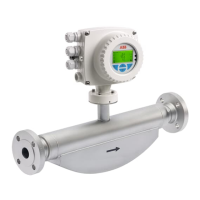
Electromagnetic Flowmeter
COPA-XE / MAG-XE
3.3 Data Entry Instructions “Condensed Form”
Action Use Keys = Display Information
Starting point
“Process Information”
Examples:
Qmax F and
Current Output (Table)
-
C/CE
→ F98.14 %
→ F 12.000 m3
An arbitrary parameter
is displayed
Find
Parameter
“Program Protection”
“Program Protection”
STEP
or
DATA
ENTER
*Program Protection*
on
*Program Protection*
off
Direct Numeric Entry Entry from a Table
Action Use Keys = Display Info. Action Use Keys = Display Info.
Find
Parameter
“Qmax”
STEP
or DATA
Qmax Find
Submenu
“Current Output”
STEP
or DATA
Submenu
1800.00 m3/h Current Output
Change
Parameter
“Qmax”
ENTER Qmax Change
Parameter
“Current Output”
ENTER
Current Output
- m3/h 0 - 20 mA
Change
Current Output
from 0-20 mA
to 4-20 mA
Current Output
Qmax ENTER 0 - 20 mA
6 2 4 0 . 0 0 m3/h
6 x DATA 6
STEP Find desired
current output
range 4-20 mA
in table
2 x DATA 2 STEP
or DATA
Current Output
STEP 4 - 20 mA
Enter the
desired
numbers in
series
4 x DATA 4
STEP 0
STEP Accept new
current output
range
ENTER Current Output
10 x DATA . 4 - 20 mA
STEP 0
STEP 0
Accept new
Qmax value
Qmax
ENTER 6 2 4 0 . 0 0 m3/h
*Program Protection*
Exit from Qmax
or Current Output
Find parameter
“Program Protection
STEP
or DATA
off
Turn program
protection on again
ENTER *Program Protection*
on
Exit point
Process information
(Converter remains on-line)
C/CE
→ F98.14 %
→ F 13.422 m





 To Next Page