IM300 Intelligent Power Monitoring Instrument
Fig 3-4-9 Reset the most value
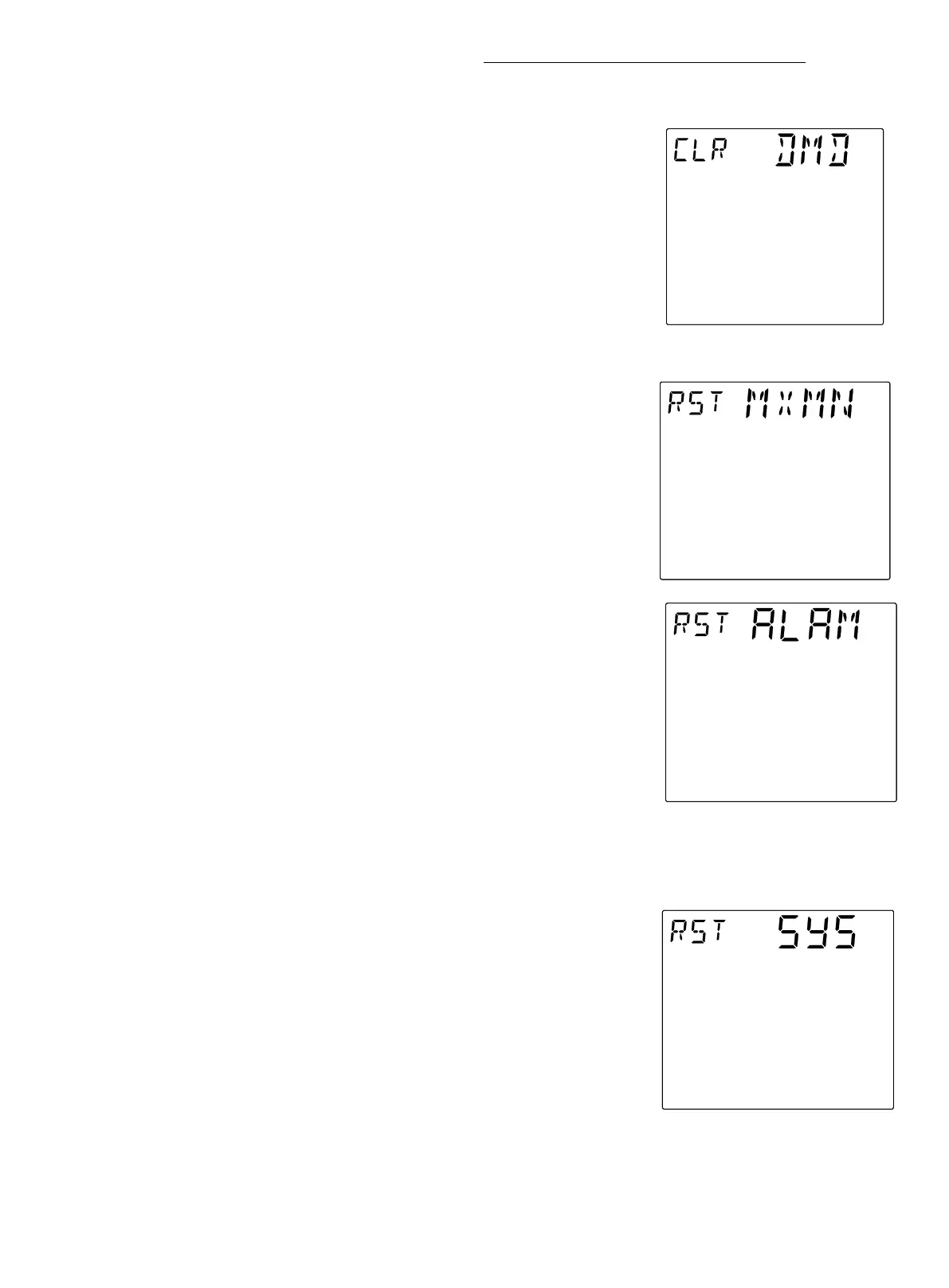
Fig 3-4-8 Clear maximum
demand
Screen 6:Clear maximum demand
This page is used to clear the maximum demand. As shown
in fig. 3-4-8, the upper left corner of the screen displays "CLR"
(CLEAR) means clear ,the top of the screen displays the word
"DMD" to clear maximum demand. The operation to clear the
maximum demand is the same as clearing the SOE.
Screen 7
:
Electric parameters Max Min reset
This page is used to reset the electrical parameters
Maximum Minimum. As shown in fig. 3-4-9, the upper left
corner of the screen to display "RST" (RESET) indicates reset,
the top of the screen displays "MXMN" (MAXMIN) represents
the word reset Max Min. The operation to reset the electrical
parameters Maximum Minimum is the same as clearing the SOE
After the electrical parameters of the reset maximum
minimum, maximum and minimum values of various electrical
parameters of the reset to the current measured value.
Screen 8:Alarm reset
This page is used to reset the alarm. As shown in fig. 3-4-10, "RST" (RESET)
indicates reset, and "ALRM" (ALARM) at the top of the screen indicates reset
overlimit alarm. The operation to reset the overlimit alarm is the same as clearing the
This page is used to reset the system. As shown in fig.
3-4-11, upper left corner of the screen "RST" (RESET) indicates
reset, the top of the screen to display "SYS" (SYSTEM)
represents the system.


 To Next Page