PositionMaster EDP300 DIGITAL POSITIONER | CI/EDP300-EN REV. D 19
or
M10419-01
1
2
3
45
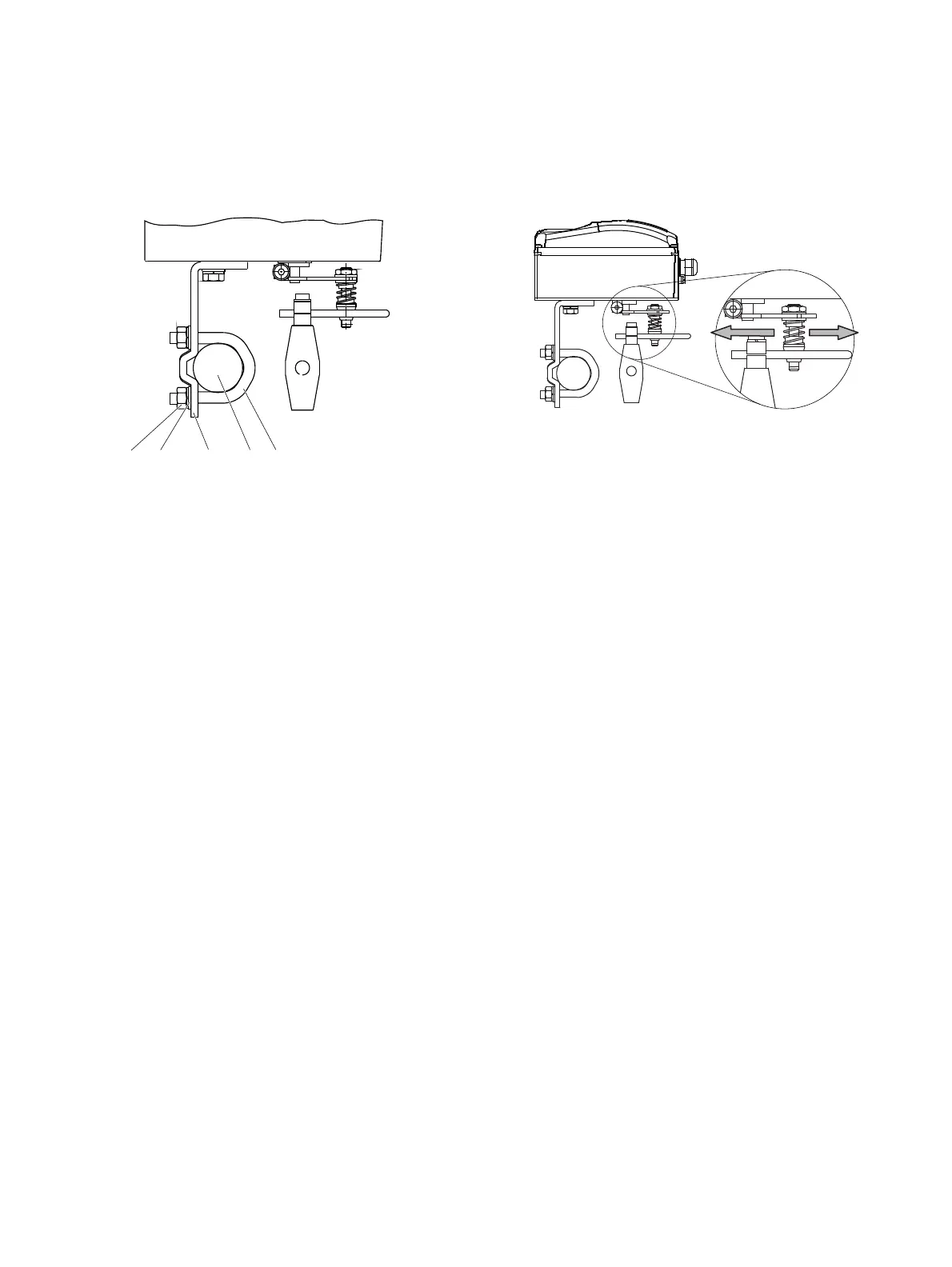
Figure 9: Mounting on a columnar yoke
1. Hold the mount bracket
3 in the proper position on the
columnar yoke
2.
2. Insert the U-bolts
1 from the inside of the columnar yoke 2
through the holes of the mount bracket.
3. Add the washers
4 and nuts 5.
Tighten the nuts so that they are hand-tight.
Note
Adjust the height of the positioner on the cast iron yoke or
columnar yoke until the lever is horizontal (based on a visual
check) at half stroke of the valve.
M10420-02
2
1
1 Increase linkage 2 Decrease linkage
Figure 10: Positioner linkage
The scale on the lever indicates the link points for the various
stroke ranges of the valve.
Move the bolt with the follower pin in the oblong hole of the
lever to adjust the stroke range of the valve to the working range
for the position sensor.
Moving the link point inwards increases the rotation angle of the
position sensor. Moving the link point outwards reduces the
rotation angle of the position sensor.
Adjust the actuator stroke to make use of as large an angle of
rotation as possible (symmetrical around the center position) on
the position sensor.
Recommended range for linear actuators:
−30° to 30°; minimum range: 25°
Note
After mounting, check whether the positioner is operating within
the sensor range.



 To Next Page