20 PositionMaster EDP300 DIGITAL POSITIONER | CI/EDP300-EN REV. D
… 6 Installation
… Mechanical mounting
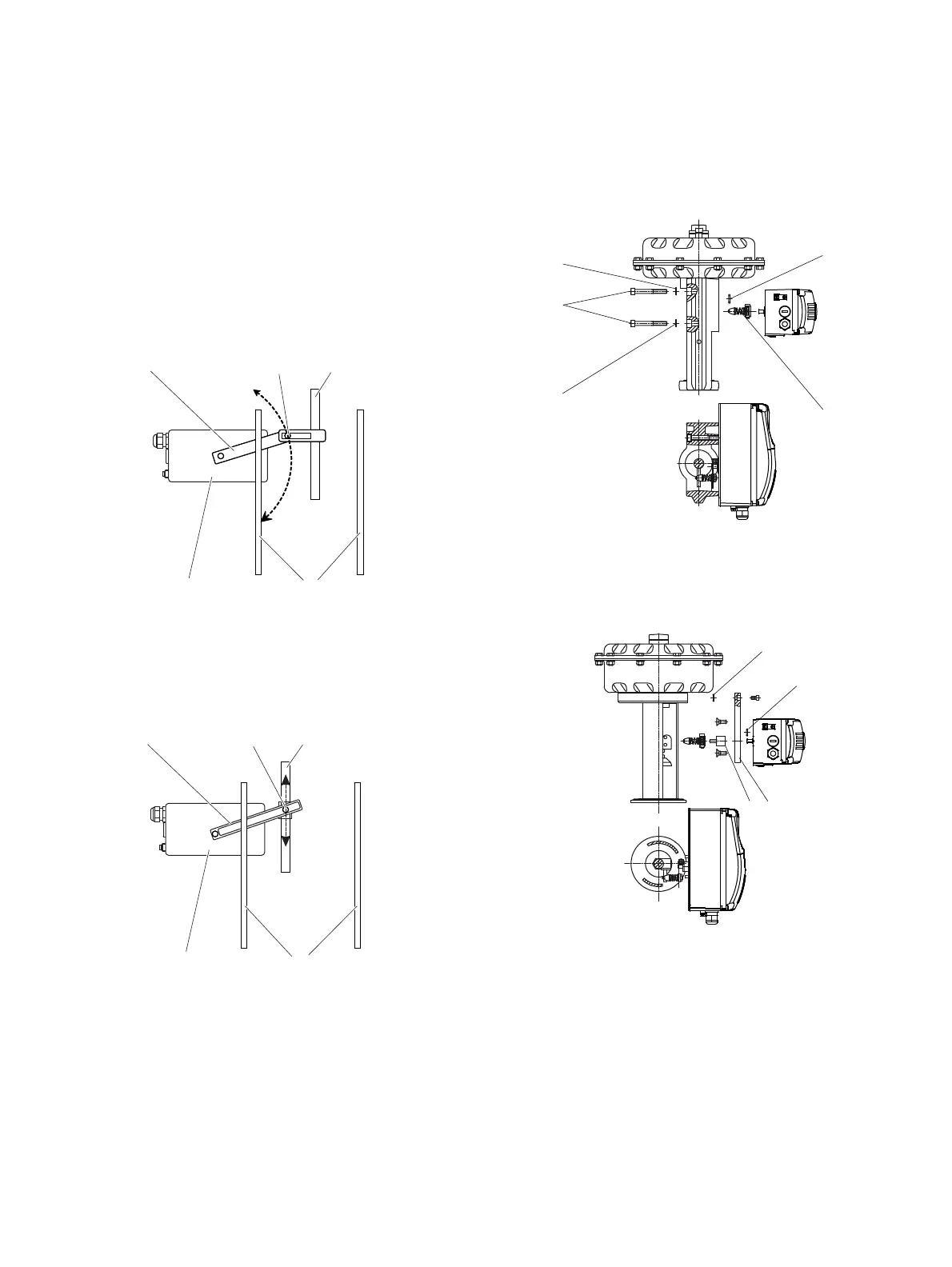
Position of actuator bolt
The actuator bolt for moving the potentiometer lever can be
mounted permanently on the lever itself or on the valve stem.
Depending on the mounting method, when the valve moves the
actuator bolt performs either a circular or a linear movement
with reference to the center of rotation of the potentiometer
lever. Select the chosen bolt position in the HMI menu in order to
ensure optimum linearization. The default setting is as follows:
M11031
1 2 3
5 4
1 Potentiometer lever
2 Actuator bolts
3 Valve stem
4 Valve yoke
5 Positioner
Figure 11: Actuator bolts on the lever (rear view)
M11032
1 2 3
5 4
1 Potentiometer lever
2 Actuator bolts
3 Valve stem
4 Valve yoke
5 Positioner
Figure 12: Actuator bolts on the valve (rear view)
Mounting on control valves
M10128-01
1
2
3
4
1
1 Washers
2 Screws
3 O-ring
4 Lever
Figure 13: Integral mounting on control valves
M10129-01
1
23
1
1 O-ring
2 Adapter plate
3 Adapter
Figure 14: Integral mounting on control valves with adapter plate



 To Next Page