EasyManua.ls Logo

ABB Relion 670 series - User Manual

ABB Relion 670 series
114 pages
Print Icon
To Next Page IconTo Next Page
Loading...
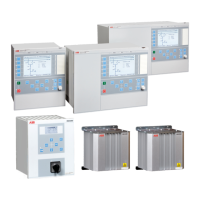
RELION® 670 SERIES
670 series
Version 2.2
Cyber security deployment guideline

Table of Contents

Other manuals for ABB Relion 670 series

Questions and Answers

  • L
    Laura KingAug 23, 2025
    Why does my ABB Measuring Instruments show 'Time synch Fail Real time clock Ready'?
    • N
      Norman BakerAug 23, 2025
      If your ABB Measuring Instruments indicates 'Time synch Fail Real time clock Ready' it means that there is no time synchronization, but no problem has been detected. You should check the synchronization source for problems.
  • G
    Gary CarlsonAug 25, 2025
    What does 'Internal fail On' mean on my ABB Measuring Instruments?
    • P
      Pamela WilsonAug 26, 2025
      If your ABB Measuring Instruments displays 'Internal fail On', a failure has occurred. Check the rest of the indicated results to find the fault.
  • M
    Melissa EwingAug 27, 2025
    What does 'Internal warning On' mean on my ABB Measuring Instruments?
    • D
      Daniel BurkeAug 27, 2025
      If your ABB Measuring Instruments displays 'Internal warning On', a warning has been issued. Check the rest of the indicated results to find the fault.
  • B
    Brian MendezAug 27, 2025
    Why is Internal warning On showing on my ABB Controller?
    • A
      Adam SmithAug 27, 2025
      If there is an internal warning on your ABB Controller, a warning has been issued. Check the rest of the indicated results to find the fault.
  • A
    ahoodSep 18, 2025
    How do I check the communication link operation on an ABB Relion 670?
    • A
      alvaradomindySep 18, 2025
      To check the communication link operation on the ABB Protection Device, ensure the uplink LED is lit with a steady green light. Check the communication status of the front port via the LHMI in Main menu/Diagnostics/Communication/Ethernet status/Front port/FRONTSTATUS:1, ensuring the LinkStatus value is 1. Also, check the communication status of the rear ports via the LHMI in Main menu/Diagnostics/Communication/Ethernet status/Access points, verifying that the LinkStatus value is 1.
  • R
    robinsonjosephSep 14, 2025
    What to do if I have communication errors with my ABB Relion 670?
    • C
      Christopher HarrisSep 15, 2025
      If you are experiencing communication errors with your ABB Protection Device, check the IEC61850 and DNP3 communication status in the internal event list located in Main menu/Diagnostics/IED Status/General. In case of persistent faults originating from IED's internal faults such as component breakdown, contact ABB for repair or replacement actions.
  • E
    Emily PerezSep 16, 2025
    How to identify runtime errors in ABB Relion 670?
    • K
      Keith GreenSep 16, 2025
      To identify runtime errors in the ABB Protection Device, check the error origin from IED's internal event list Main menu/Diagnostics/IED status/General. Reboot the IED and recheck the supervision events to see if the fault has cleared. In case of persistent faults, contact ABB for corrective actions.
  • S
    Sandra KingSep 7, 2025
    What to do if ABB Industrial Equipment shows 'Internal fail On'?
    • T
      Tina DickersonSep 7, 2025
      If the ABB Industrial Equipment indicates 'Internal fail On', it means a failure has occurred. To address this, check the other indicated results to pinpoint the specific fault.
  • R
    romerodeniseSep 4, 2025
    Why is the ABB Control Unit showing a Diagnostics Replication Failed error?
    • D
      Dr. Jesus EdwardsSep 4, 2025
      If the ABB Control Unit displays a Diagnostics Replication Failed error, it can be due to the server(s) not being reachable or the server configuration having changed. Verify that the LDAP server is up and running. Verify with the system administrator that LDAP settings are still valid. Check the IED connection.
  • C
    Christopher GallowaySep 5, 2025
    Why is the time synchronization failing on my ABB Protection Device?
    • T
      Tonya ReeseSep 5, 2025
      If your ABB Protection Device is not synchronizing time, check the synchronization source for any issues. If the problem continues, no further solution is available.

Summary

Introduction to ABB 670 Series Cyber Security

Document Purpose and Scope

Describes the process for handling cyber security when communicating with the IED.

Intended Audience for Cyber Security Guideline

For system engineering, commissioning, operation, and maintenance personnel handling cyber security.

Product Documentation Set Overview

Details instructions for engineering, installation, commissioning, operation and maintenance of IEDs.

Related ABB Product Documentation

Lists document numbers for application, commissioning, product guides, technical manuals, and type test certificates.

Document Symbols and Conventions

Explains warning, caution, information, and tip icons used in the document.

Document Conventions and Formatting

Outlines conventions for abbreviations, HMI paths, messages, parameter names, and logic diagrams.

Security in Substation Automation

General Security in Substation Automation

Discusses the evolution of the electric power grid and the introduction of cyber security concerns.

Secure System Setup and Configuration

Physical Interfaces for Security

Addresses preventing services from operating on unintended physical interfaces for cyber attack reduction.

Communication Ports and Services Configuration

Lists available ports, protocols, default states, and services for firewall setup.

Secure FTP Access with TLS;FTPS

Explains secure FTP negotiation with TLS and capabilities without encryption.

Encryption Algorithms for Secure Communication

Details encryption strength for TLS connections using AES 256 or AES 128.

Denial of Service (DoS) Protection

Protects the IED from overload by controlling inbound network traffic with quota control.

Certificate Handling for Secure Communication

Describes self-signed certificates, X.509 certificates, and RSA key-pair generation for secure communication.

Local User Account Management

User Authorization and Role Management

Discusses predefined user roles and the recommendation to use user-defined users.

Password Policies and Requirements

Covers ASCII character requirements, password complexity, and expiry settings in PCM600.

IED User Management Procedures

Explains using the IED Users tool in PCM600 for editing user profiles and role assignments.

General Settings for IED User Management

Details restoring factory settings for default users within the IED Users tool.

User Profile Management and Creation

Describes editing user profiles, creating new users, deleting existing users, and editing group members.

Adding New Users to the IED

Provides instructions to click in the Users tab to open the wizard for creating new users.

Assigning Users to New User Roles

Steps to select a user, a new role, and assign the user to that role.

Deleting Existing Users from IED

Instructions to select a user from the Users list for deletion.

Changing User Passwords

Steps to select a user and change their password using the IED Users tool.

User Role Management and Modifications

Explains modifying user roles and memberships in the Roles tab.

Reusing User Accounts: Export and Import

Explains exporting and importing IED user account data between IEDs.

Writing User Management Settings to IED

Instructions to click the 'Write User Management Settings to IED' button.

Reading User Management Settings from IED

Instructions to click the 'Read User Management Settings from IED' button.

Saving User Management Settings

Steps to select File/Save or click the Save toolbar button to save settings.

Central Account Management (CAM)

Introduction to Central Account Management

Describes Central Account Management as an authentication infrastructure for access control.

Certificate Management Overview

Overview of certificate management between Security Administrator, IED, and PCM600.

Creating and Deploying IED Certificates

Steps to create IED certificates using PCM600 and SDM600.

Importing and Writing Certificates to IED

Detailed steps for importing and writing certificates to an IED using PCM600.

Reading Certificates from an IED

Steps to read installed certificates from an IED using PCM600.

Viewing Certificate Information on Local HMI

How to view installed certificate information on the IED's local HMI.

Handling Invalid Certificates

Explains reasons for certificate invalidity and system behavior.

Deleting Certificates from an IED

Describes the process of deleting certificates from an IED after reading them.

Activating Central Account Management

Steps to activate Central Account Management on the IED via PCM600.

Manual Configuration of Central Account Management

How to edit CAM configuration parameters and certificates in PCM600.

Reading Central Account Management Configuration from IED

Steps to read CAM configuration from the IED using PCM600.

Deactivating Central Account Management via PCM600

Steps to disable CAM mode and write the configuration to the IED.

Deactivating Central Account Management via Local HMI

Procedures to disable CAM and delete certificates via the IED's local HMI.

Authorization with CAM-Enabled IED

Discusses user, role, and right management on the CAM server.

Predefined User Roles in CAM

Lists predefined user roles and their access rights according to IEC 62351-8.

Password Policy Settings for CAM-Enabled IED

Notes that password policy is set on the Central Account Management server (SDM600).

PCM600 Access to CAM-Enabled IED

Describes user interaction for PCM600 access to CAM-enabled IEDs.

Changing Passwords in CAM

Steps for users to change their own password via PCM600 or LHMI.

Error Messages in Central Account Management

Lists possible error messages during IED access or password changes.

Troubleshooting Central Account Management

Guides on checking CAM status via local HMI diagnostics.

User Activity Logging

Activity Logging Protocols (IEC 61850;Syslog)

Explains using IEC 61850 or Syslog for activity logging from the IED.

ACTIVLOG Settings for Activity Logging

Covers settings for activity logging, including external log servers.

ACTIVLOG Configuration Settings

Details basic settings for ACTIVLOG, including external log server types and ports.

SECALARM Function Signals

Lists SECALARM output signals: EVENTID and SEQNUMBER.

SECALARM Basic Settings

Covers basic settings for the SECALARM function, specifically the Operation parameter.

About Security Events Logging

Explains that user operations are logged as security events and can be sent via Syslog.

Event Types and GSAL Mapping

Details event types logged by the GSAL logical node.

Local HMI Use and Operations

Logging On to the IED via Local HMI

Steps to activate login procedures and enter user name and password.

Logging Off from the IED

Describes automatic and manual logoff procedures on the IED.

Saving Settings on the IED

Explains how to save parameter changes in nonvolatile memory.

Accessing the Maintenance Menu

Details how to enter and use the IED's maintenance menu.

Recovering Passwords and IED Defaults

Instructions for recovering passwords or restoring IED defaults via the Maintenance Menu.

Selecting the Recovery Menu Option

Steps to select the Recovery Menu option within the Maintenance Menu.

Entering the Recovery Menu PIN Code

Instructions to enter the PIN code 8282 to access the Recovery Menu.

Temporarily Turning Off Authority

Procedures to temporarily disable authority for system access.

Fallback Access via Maintenance Menu

Discusses accessing the IED via the Maintenance Menu as a fallback solution.

Restoring IED Configurations using Restore Points

Explains how to create and manage restore points for IED configurations.

Standard Compliance Statements

Applicable Cyber Security Standards

Overview of relevant cyber security standards and ABB's role in their development.

IEEE 1686 Cyber Security Compliance

Details compliance with IEEE 1686 standard for IED cyber security capabilities.

Glossary of Technical Terms

AES (Advanced Encryption Standard)

Definition of Advanced Encryption Standard (AES) and its key sizes.

CAM (Central Account Management)

Definition of Central Account Management.

IED (Intelligent Electronic Device)

Definition of Intelligent Electronic Device.

IEEE 1686 Standard

Standard for Substation Intelligent Electronic Devices cyber security.

LHMI (Local Human Machine Interface)

Definition of Local Human Machine Interface.

PCM600 (Protection and Control IED Manager)

Definition of Protection and Control IED Manager.

PKCS#12 File Format

Archive file format for Public-Key Cryptography Standards.

SCADA (Supervision, Control and Data Acquisition)

Definition of Supervision, control and data acquisition.

TLS (Transport Layer Security)

Definition of Transport Layer Security.

VPN (Virtual Private Network)

Definition of Virtual Private Network.

ABB Relion 670 series Specifications

General IconGeneral
Product TypeProtection Relay
ManufacturerABB
Current Input1A / 5A
Communication ProtocolsIEC 61850, IEC 60870-5-103, DNP3, Modbus
DisplayLCD
Protection FunctionsOvercurrent, Differential, Distance

Related product manuals